I just installed Stalwart and 50% of my emails as classified as spam and end up in the spam folder, not the inbox. 90% of the mail in my spam folder is actually not spam, only 10% is actually spam.
That is a desastrously bad ratio of false positives.
Expected Behavior
All emails are considered ham unless the spam filter has good reason to believe that they are spam.
Training happens with use.
Actual Behavior
The spam filter seems to be completely random. 50/50 is the scientific definition of randomness.
Reproduction Steps
Forward mail from MX (Postfix) to Stalwart
Set up IP address of MX server in Stalwart. Settings → MTA → Inbound → SPF verification and MAIL FROM (both the same), add condition:
IF remote_ip == ‘1.2.3.4’ THEN relaxed
Get mail
Stalwart Version
v0.16.x
Installation Method
Docker
Database Backend
RocksDB
Blob Storage
RocksDB
Search Engine
Internal
Directory Backend
Internal
Additional Context
I haven’t found a setting to tell Stalwart the MX host, but just in case I did not correctly configure the MX host:
a) There should be a clear way in the admin UI to configure the MX server
b) Even if misconfigured, it shouldn’t be considering 50% of my mail as spam.
Bottom line:
Be conservative before classifying something as spam. Spam is only mail where you have > 99% confidence that it is in fact spam. That’s clearly not the case here for me.
I have reviewed the documentation and FAQ and confirm that my issue is NOT addressed there.
on
I have searched this support forum (open and closed topics) and confirm this is not a duplicate.
on
I understand that topics in this category are triaged by a bot first but a human reply will follow up. If I’d prefer a human-only reply, I’ll add the no-ai tag to my topic.
If you have a MX or an host that does not validate SPF/DKIM… You can create a rule in spam filter (remote_ip == …),assign a tag, for instance IP_GOOD and then set a score to -500 if IP_GOOD is present (scores) in WebUI. This would set the score so low all emails from this host would be considered as ham. However if you want Stalwart to filter spam, you can finetune rules, we could need to see spam header in your email to help you.
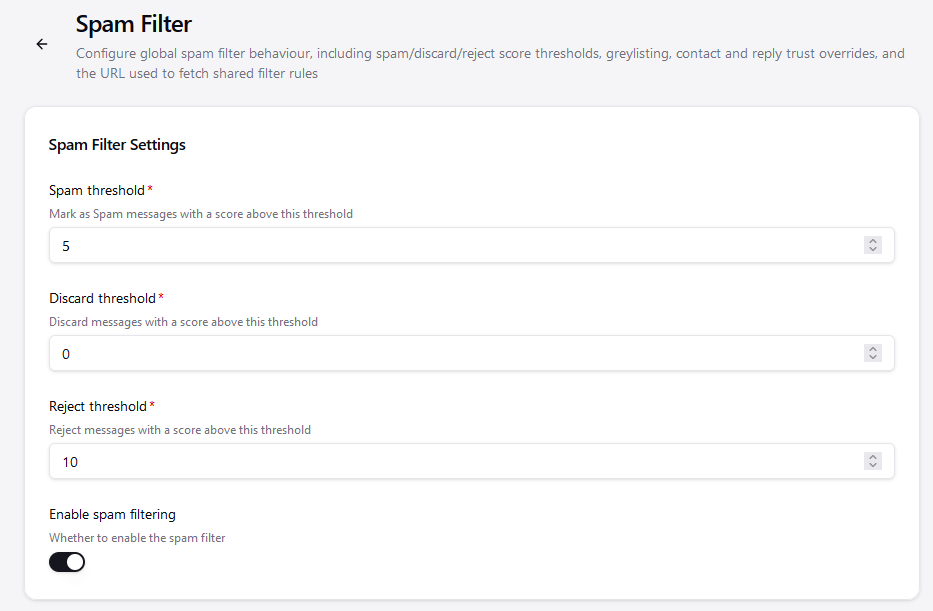
The spam classifier needs by default at least 100 ham and 100 spam samples to start working. Until then you rely on the DNSBLs, rules and other heuristics. Manually classifying ham/spam by moving messages to the right folder counts as a training sample.
The spam classifier needs by default at least 100 ham and 100 spam samples to start working
That’s fine and normal.
However, until it’s trained reliably, it should not classify emails as spam. Rather, it should presume everything as ham, and only once it’s confident that something is spam, mark it as such. As you said, in training phase, it cannot be confident, so it cannot mark as spam at all until it’s trained.
In other words: false positives are much worse than false negatives. Not being trained means you need to accept false negatives, but not false positives.
I came here to ask for help on this as well. I’ve written custom scripts and have trained with a corpus of ~400 ham and ~500 spam, have added many domains to Trusted Domains, always unflag false positives by moving them to the inbox, and still >50% of my inbound mail gets flagged as spam (pretty much universally seeing PROB_SPAM_HIGH (8.00) in my X-Spam-Result headers). Am I missing something obvious here?
The statistical spam classifier is not activated until the 100/100 samples are collected. Until then the score is determined by DNSBL, rules and other tools, check the spam status headers for details.
Set the log level to trace and check the spam classifier training logs. Make sure that you don’t have unbalanced classes. If you still have the samples, you can trigger from Tasks a model reset and then check your logs once training is complete.
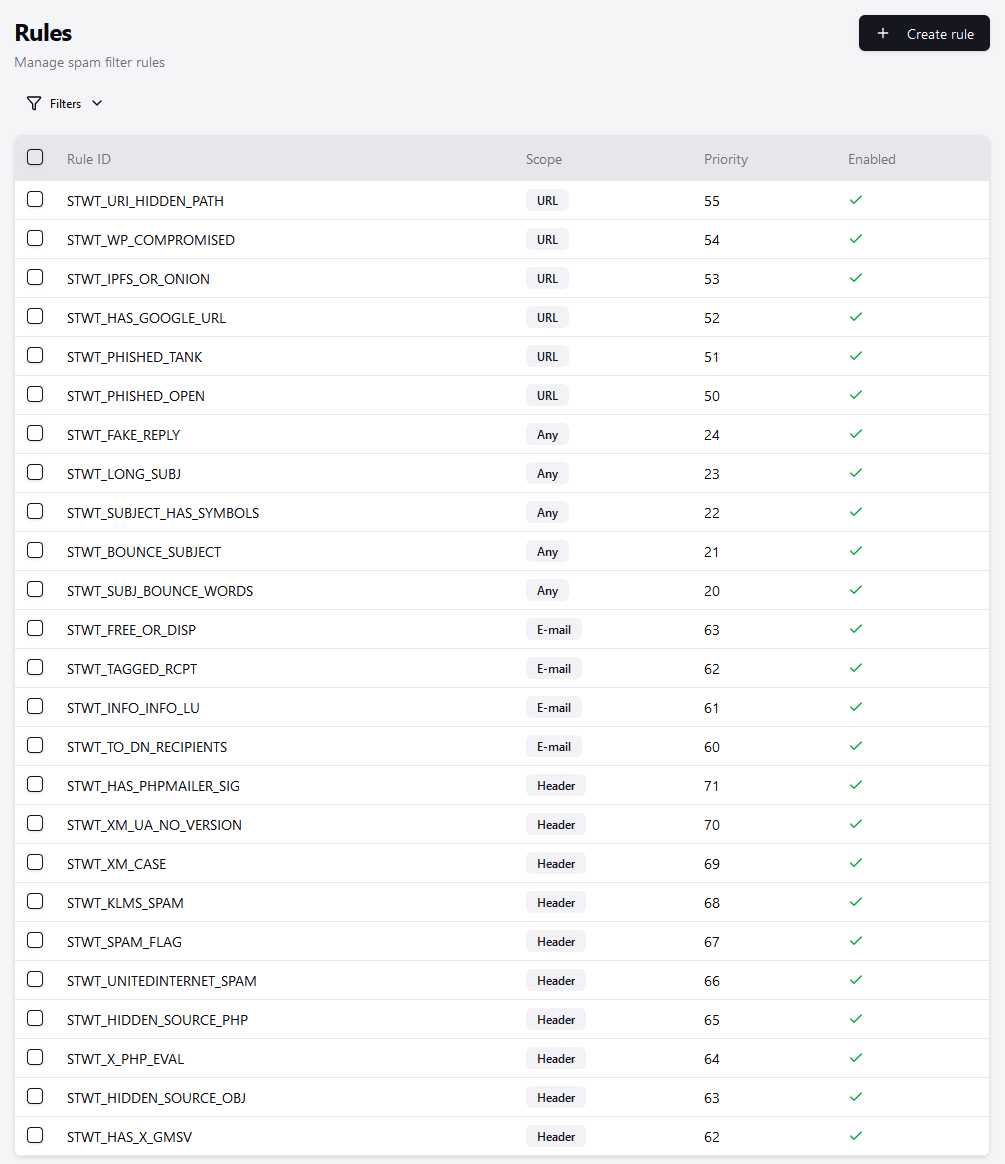
It seems the reason is `SPAM_FLAG` with score 5. What is this? (Given that all rules are about flagging spam, the rule name is not helpful.)
The `FORGED_SENDER` suggests that my Stalwart doesn’t recognize my Postfix MX that’s before it as trusted inbound relay, but I haven’t found a way to configure it. However, that rule is only score 0.3 and not the reason for the problems.
`FORGED_RECIPIENTS` (score 2.0) could be the same cause. My Postfix forwards mail from my primary mail address to the email address configured in Stalwart. Not sure how I’m supposed to configure this.
`URI_COUNT_ODD` is 0.5, even though that is a legitimate Amazon mail.
Lastly, there are lots of positive signals, but they are not counted positively into the spam score.
Mauro, thanks for your answer. My previous post was additional data, because you asked. Arguably, you need that information to understand what’s going on. Thanks for looking into this.
My point was another, mostly about the training phase: The spam filter should be either reliable (98+% accuracy), or suspend itself and not filter until it is sufficiently trained.
If in doubt, it should deliver to the inbox. What it does right now is being statistically random and delivering half the mails to spam folder. That should not be happening, even if I have a fresh server or fresh user.
The spam classification is always deterministic (unless there is a DNSBl network timeout which affects the score), there is no random component.
In your case, something is adding spam result headers to your emails which Stalwart (and also RSpamd) consider an attempt to influence the spam classification outcome and assign a high score to it. Either remove this header or set the SPAM_FLAG score to 0.0.
Also, in general, make sure you are not sending outbound emails with X-Spam-Result or X-Spam-Score headers as you risk your emails being classified as spam by Stalwart, RSpamd and possibly SpamAssassin too.
something is adding spam result headers to your emails which Stalwart (and also RSpamd) consider an attempt to influence the spam classification outcome and assign a high score to it.
Interesting. Thank you! That would explain it. That “something” is the Postfix inbound MX server that I mentioned in the “Reproduction steps”.
I have now disabled the `SPAM_FLAG` rule in Settings | Spam | Rules. I could not find the other rules like `FORGED_RECIPIENTS`.
What would be good is a single setting in Stalwart that informs it that it’s not the inbound MX server for the domain, but that there’s another MX server in front of it. I had actually been looking for a single setting in “MTA → Inbound” where I can set the IP address of that server. It would also be prudent to ask during the onboarding setup dialogs whether Stalwart is responsible alone for the domain, or has an inbound MX, outbound MX, and other mail store with mailboxes of the same domain sitting in parallel of it. There are already some individual settings that help with it, but they are very hard to find. I would think that almost all larger deployments will start in such a mixed setup, in some form or other, so it’s a good question to a) ask during setup and b) have central toggles for it in the server settings, which I can easily change later without having to hunt down a quadrillion of individual settings across all modules. I understand that the individual settings are important for custom cases, but what I mentioned are standard cases that have impact in many places, as we can see here.
Is there such a setting in Stalwart already, or should I file an enhancement suggestion?
I reset the Bayes filter and trained with ~400 ham and ~500 spam. PROB_SPAM_HIGH and PROB_SPAM_MEDIUM are still getting set on non-spam email without fail. The only way I seem to be able to avoid false positives is to set both of those spam scores to 0 in the config. Is that to be expected after this level of training? I’m not sure what’s leading those to get set during analysis.
Could somebody confirm whether this 100 ham, 100 spam figure applies just to the first mailbox or the first domain, or every mailbox, or every domain that’s set up on the system?
I have a domain which receives twenty or thirty emails a day which has never put a lot of ham emails into the spam folder. That was the first domain I set up on the box.
I’ve just set up another domain and added three mailboxes on that. They all receive 20-30 e-mails a day too. All of the mailboxes on the new domain are putting pretty much all mail into spam while the mailboxes on the first domain I added continue to operate as I would expect.
Do I have to tell every user until you’ve done 100/100 you need to check your spam box and move non-spam back into there or should I assume that because the server is already trained with other domains and other mailboxes that shouldn’t be the case?
The fact that the first domain/mailboxes worked as I would expect and the second domain/mailboxes is classifying everything as spam confuses me!
I, too, am also of the opinion that while the 100/100 has not been met, mail should go to the inbox and not the spam folder.
Firstly, you can adjust the amounts of the ham/spam required before training starts, the 100/100 is just the default. Until this limit is reached, spam filtering only occurs on the static rule sets that adjust the score based on items such as spoofed from, DMARC/DKIM results, entries in the DNSBL, etc. Each one of those rules is adjustable.
The internal training augments to this only once it starts training. If you don’t have the 100/100 (or whatever set threshold), the spam training portion isn’t intervening at all.
It is system wide - if you look at your logs you will see:
2026-09-15T09:04:09Z INFO Spam classifier model not ready (spam.model-not-ready) reason = "Not enough samples for training", details = [95, 107], limit = [100, 100], elapsed = 45ms
2026-09-15T21:04:34Z INFO Spam classifier model not ready (spam.model-not-ready) reason = "Not enough samples for training", details = [96, 107], limit = [100, 100], elapsed = 42ms
2026-09-16T09:00:36Z INFO Spam classifier model not ready (spam.model-not-ready) reason = "Not enough samples for training", details = [96, 107], limit = [100, 100], elapsed = 55ms
2026-09-16T21:04:12Z INFO Spam classifier model not ready (spam.model-not-ready) reason = "Not enough samples for training", details = [96, 108], limit = [100, 100], elapsed = 38ms
2026-09-17T09:01:09Z INFO Spam classifier model not ready (spam.model-not-ready) reason = "Not enough samples for training", details = [98, 108], limit = [100, 100], elapsed = 43ms
Based on this you can see I hit my own 100/100 requirements a few days ago, and now my logs began to report:
2026-09-17T21:03:14Z INFO Spam classifier training started (spam.train-started)
2026-09-17T21:03:22Z INFO Spam classifier training completed (spam.train-completed) total = 216, details = [101, 108], elapsed = 8052ms
2026-09-18T09:04:38Z INFO Spam classifier training started (spam.train-started)
2026-09-18T09:04:38Z INFO Spam classifier training completed (spam.train-completed) total = 0, elapsed = 78ms
2026-09-18T21:03:42Z INFO Spam classifier training started (spam.train-started)
2026-09-18T21:03:42Z INFO Spam classifier training completed (spam.train-completed) total = 0, elapsed = 81ms
So it trained itself on the samples it had, then had nothing to add for a few days until:
2026-09-24T11:33:22Z INFO Spam classifier training started (spam.train-started)
2026-09-24T11:33:23Z INFO Spam classifier training completed (spam.train-completed) total = 2, details = [102, 108], elapsed = 267ms
2026-09-24T23:34:20Z INFO Spam classifier training started (spam.train-started)
2026-09-24T23:34:20Z INFO Spam classifier training completed (spam.train-completed) total = 2, details = [103, 108], elapsed = 260ms
2026-09-25T11:33:33Z INFO Spam classifier training started (spam.train-started)
2026-09-25T11:33:34Z INFO Spam classifier training completed (spam.train-completed) total = 2, details = [104, 108], elapsed = 308ms
2026-09-25T23:34:45Z INFO Spam classifier training started (spam.train-started)
2026-09-25T23:34:45Z INFO Spam classifier training completed (spam.train-completed) total = 2, details = [105, 109], elapsed = 259ms
2026-09-26T11:33:47Z INFO Spam classifier training started (spam.train-started)
2026-09-26T11:33:47Z INFO Spam classifier training completed (spam.train-completed) total = 2, details = [106, 110], elapsed = 276ms
So I’m presently training against 106 ham and 110 spam.
An examination of your logs will tell you if the trainer is even running and otherwise you’d want to examine the headers of your mail messages to see why they are scoring over the spam threshold (which by default is 5).
You can adjust your spam threshold score higher to achieve this, or simply disable it completely until you have the training thresholds, but again, they really are two separate components working together.
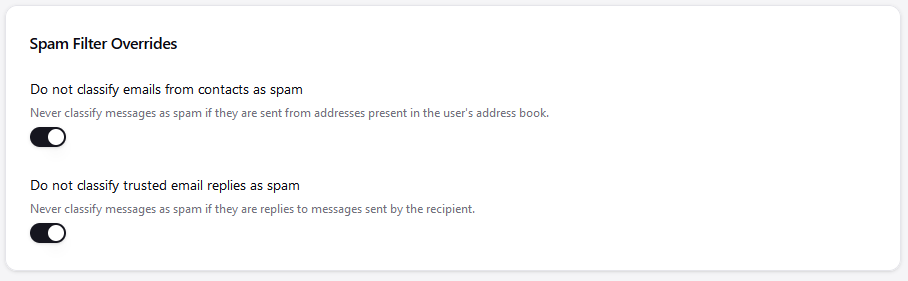
One possibility is that you have contacts in one mailbox and not the other that are negating the filter, as by default any mail received that has a contact in the account trusts all messages from that source.
@NAB it’s server-wide: one model and one sample count for every domain and mailbox, and each user’s own corrections then adjust how that model scores mail for them. So new mailboxes on your box aren’t starting from nothing on the classifier side, and new users don’t have to train 100/100 of their own.
What new mailboxes do lack is trust. By default, mail from a sender in the recipient’s address book, or a reply to a thread they’ve written to, skips the spam folder whatever it scores (Trusted senders | Stalwart). Your established mailboxes have plenty of both; three fresh ones have neither, so every message is judged on its rule score alone.
I’m guessing until I see a header, though. Can you paste the X-Spam-Result and X-Spam-Score headers from one misfiled message on the new domain, and say whether mail for that domain reaches Stalwart through the same MX as the first one? A relay or forwarder in front was what went wrong earlier in this thread.