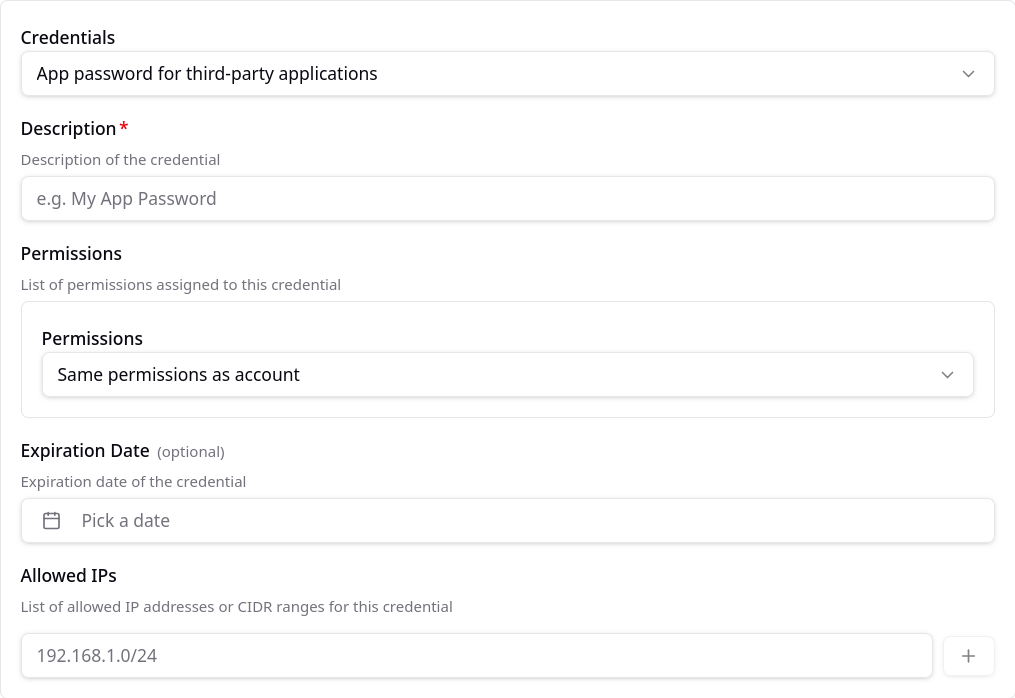
At the moment, an admin can set the main password for a user, but cannot set up app-specific passwords. To do this, the user needs to log in and set them up themselves.
I would very much like the ability to set up app-passwords from the user management page as well as the user having that ability.
You definitely can’t set user app-pwds using stalwart-cli or WebGUI. The only way I figured out is to login as a user using curl, keep the token and perform other actions with it.
Well, this only works when you have scripted your user creation since you need to know the initial password (and/or 2FA as well).
I have not made it through and gave up on this, so my users need to do this fairly complex task on their own (a lot of them can’t) or admins will need to do this manually using the users’ credentials which may be a bad idea.
You can use impersonation as a workarround. Login to /account using [email protected]%admin (and the admin password), and then create app password from there
I can do this as an “admin” via the UI by going to Accounts → click on the user you want to add a password for → Authentication → Credentials → App password for third-party applications.
You can use the API and CLI to create, but not the UI. Still the same in Stalwart v1.
It’s worse now, as previously I was using a workaround to log in to a “service account” using an app password I created, and added app passwords there, but now I should either do it programmatically or follow the SSO one-time code procedure to get in.
I’d really appreciate it if this feature were implemented.
 (which might happen frequently).