So I’ve been running Stalwart for a while now and I love it (migrate from Mailcow after several years), and the one thing that kept bugging me was the Android side: there’s basically no polished email client that speaks JMAP natively. You end up falling back to IMAP and missing the whole point. So… I ended up building one.
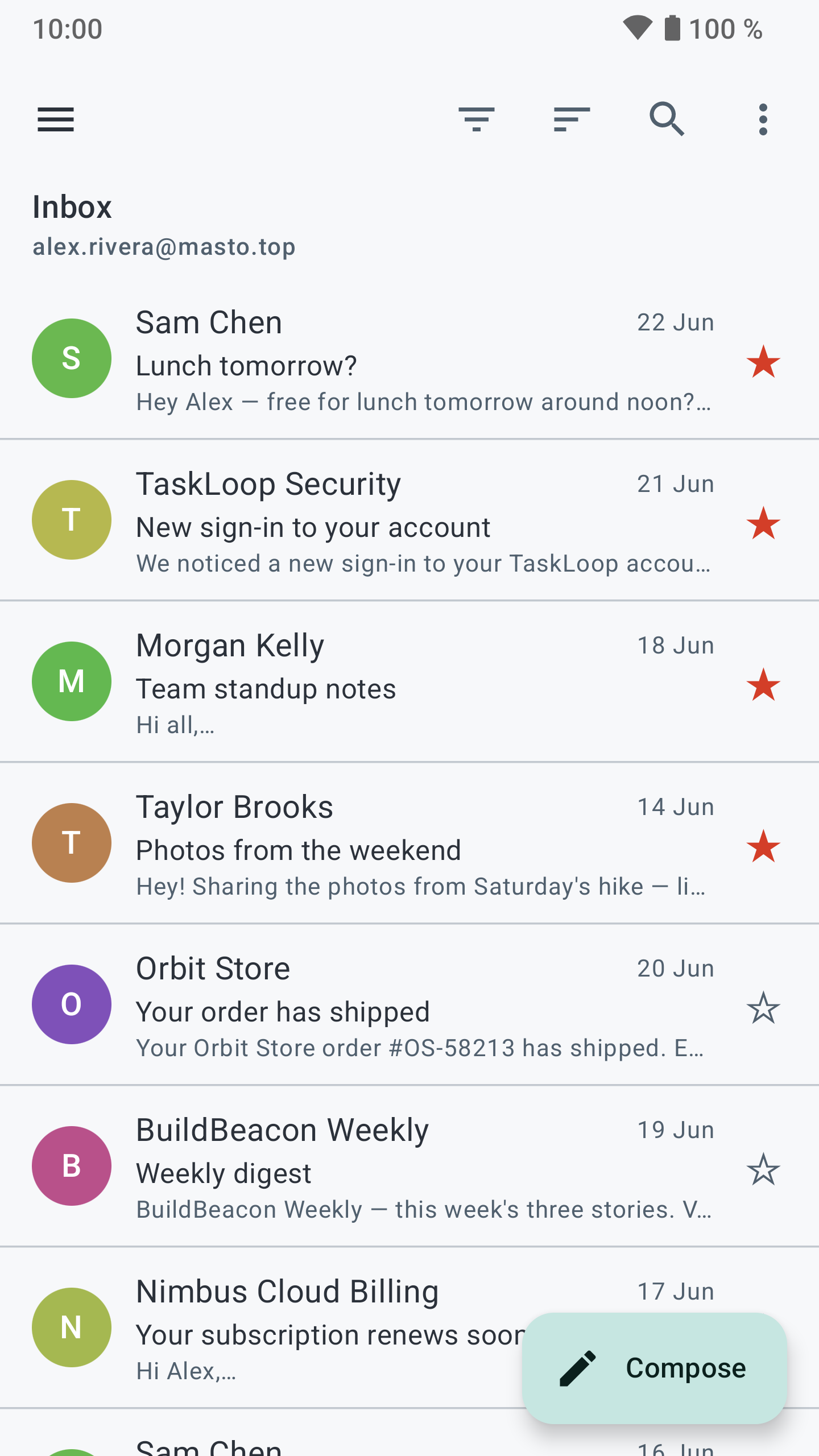
It’s called Sterna Mail. It’s a private, FOSS (GPLv3) Android client built for JMAP first with full IMAP/SMTP too, so you pick the protocol when you add an account. On a JMAP server like Stalwart you get the nice stuff: fast incremental sync, push without any Google services, less battery/data. No ads, no tracking, no analytics, nothing from Google in there.
A few things it does:
Multiple accounts + unified inbox (mix JMAP and IMAP/SMTP if you want)
Push for new mail (JMAP push, and IMAP IDLE for the legacy accounts)
Offline cache, conversation threading, search
Compose with attachments, drafts, signatures, schedule send + undo send
Material 3, follows your system light/dark theme, 9 languages
I test it against Stalwart myself (mail.* on my own box), so it’s not theoretical, it’s what I use daily. That said it’s young, and I’m sure there are JMAP edge cases I haven’t hit. If you run Stalwart and try it, I’d genuinely love bug reports.
Install right now via the APK on Codeberg (works nicely with Obtainium for auto-updates). It’s also in review for F-Droid at the moment.
Hi Emon. I was waiting for F-Droid to approve your app. I installed it yesterday and it works well. Nice of you to thank the K-9 (Thunderbird). I was using Thunderbird and now I have it on hold as I am using Sterna Mail.
One suggestion: add the “show headers” like in Thunderbird to see authentication, x-spam etc., to check legitimacy of email.
Big Thank you for creating this app. We needed an Android JMAP app.
Thank you! This kind of message is really encouraging and helpful for me. Yes there are some improvements and bug fixes I need to care of. I was hoping to ship detailed header view in next release and this should be dooable within a week or so. I dont know how long frdoid team pushes updates but it should land probably within the next 10 days.
Don’t hesitate to provide more input on feature requests or bug reporting here or on codeberg.
Hello,
About sunup: you are right. sunup delivers through Mozilla’s Web Push, which requires VAPID, meaning the mail server has to sign each push with a VAPID key and the subscription is created with its public key. Sterna will use a VAPID key when the JMAP server advertises one (the webpush-vapid session capability), but Stalwart does not expose one yet, so on a Mozilla-backed distributor there is no server key to register with. That one needs VAPID support on the Stalwart side; nothing the client can do alone.
ntfy is a different story, because it does work here: I tested it against Stalwart with the app closed and mail arrived in a few seconds, and another user just confirmed it on /e/OS with a self-hosted ntfy. So something specific to your setup is getting in the way. A few things would help me pin it down: which Stalwart version you run, whether your ntfy is ntfy.sh or self-hosted, and what the account’s status line shows under the notifications switch in Settings (either “Push: UnifiedPush (ntfy)” or a fallback to checking every 30 minutes). If you can grab a logcat around the moment you open the app, that would settle it quickly.
I can help you from here no problem, but If you have a Codeberg account, don’t hesitate to open an issue on the repo, it’s easier for me to manage support there, and this keep this topic open for more general questions.
Yeah, I’ve seen issue on codeberg after posting here and saw your communication with other user, who requested up beforee I’ll continue in that issue, however just to let other know: I’ve tested ntfy.sh, ntfy.yourdevice.ch and ntfy.adminforge. de on grapheneos, hyperos using stalwart hosted on mailbuxcom and reeva me. it’s saying push connecting… then direct connection
edit: most likely issue caused by stalwart managed providers vlocking web hooks
A quick follow-up for the two of you who asked for something here.
@mailcowboy, the header view landed in 1.3.10: open a message, then “View headers” in the three-dot menu. It shows the raw headers, so authentication results and spam scoring are there to check.
@andreim, shared and delegated mailboxes have been handled properly since 1.4.0. If your login has access to someone else’s mailbox, or you run several accounts on the same server, each one now appears in the drawer with its own folders, its own notifications and its own Sent copies, and a reply goes out as that mailbox rather than as your login. My earlier answer pointing at the unified inbox was the workaround, this is the real thing.
Both of those came out of this thread, so thanks for the reports.
emom - I can’t believe how you are able to put so much in 4 MiB app. Thank you for adding the “view headers” feature. It is working perfectly. I deleted Thunderbird from my Android phone and just use Sterna Mail now. I recommend Sterna Mail to Stalwart mail server users.
My setup is complete: Stalwart Mail (server), Bulwart Webmail (pc) and Sterna Mail (Android).
The programmers on contributors of these tools are on a whole different level. Thank you!

 )
)

 I’ll continue in that issue, however just to let other know: I’ve tested ntfy.sh, ntfy.yourdevice.ch and ntfy.adminforge. de on grapheneos, hyperos using stalwart hosted on mailbuxcom and reeva me. it’s saying push connecting… then direct connection