Issue Description
Changes to BlockedIp/AllowedIp made through the webadmin (Settings > Security) are persisted correctly but never take effect on live connections — the in-memory cache used for accept-time IP checks is never refreshed. Removing a block doesn’t unblock the IP, and adding an allow-list entry doesn’t bypass auto-ban. Only a full process restart fixes it. I’ve traced the root cause to RegistrySet::registry_set and have a fix + regression test ready (branch linked below).
Version/Platform: Stalwart v0.16.11, Docker (stalwartlabs/stalwart:v0.16.11 image)
Root cause (traced against current main, commit 00ca5573): Server::is_ip_blocked/is_ip_allowed (crates/common/src/network/security.rs) read in-memory state that’s only populated at startup or updated by the internal fail2ban logic (Server::block_ip). Server::reload_registry (crates/common/src/cache/reload.rs) correctly refreshes that state, but it’s never called when BlockedIp/AllowedIp records are changed through the settings API (RegistrySet::registry_set in crates/jmap/src/registry/set.rs) — which is what the webadmin uses. The cache-invalidation path that is called there (CacheInvalidationBuilder in crates/common/src/cache/invalidate.rs) only special-cases Account/Domain/DkimSignature/Tenant/Role/MailingList — BlockedIp/AllowedIp fall through to a no-op. So the persisted store is correct (the webadmin list updates fine), but the in-memory state the enforcement path actually reads never gets refreshed until an unrelated full config reload or a process restart.
Fix: after a successful create/update/destroy of AllowedIp/BlockedIp in registry_set, explicitly call Server::reload_registry + broadcast the change — the same pattern already used elsewhere (ACME certificate renewal, the Action::Reload* handlers). Added a regression test in tests/src/system/security.rs that drives the settings API directly and verifies blocking/unblocking/allow-listing take effect immediately.
I’ve already written the fix and a regression test — happy to have it turned into a PR if a maintainer confirms this as a bug.
Branch: GitHub - flojon/stalwart at fix/blocked-allowed-ip-live-reload · GitHub
Diff: Comparing stalwartlabs:main...flojon:fix/blocked-allowed-ip-live-reload · stalwartlabs/stalwart · GitHub
Expected Behavior
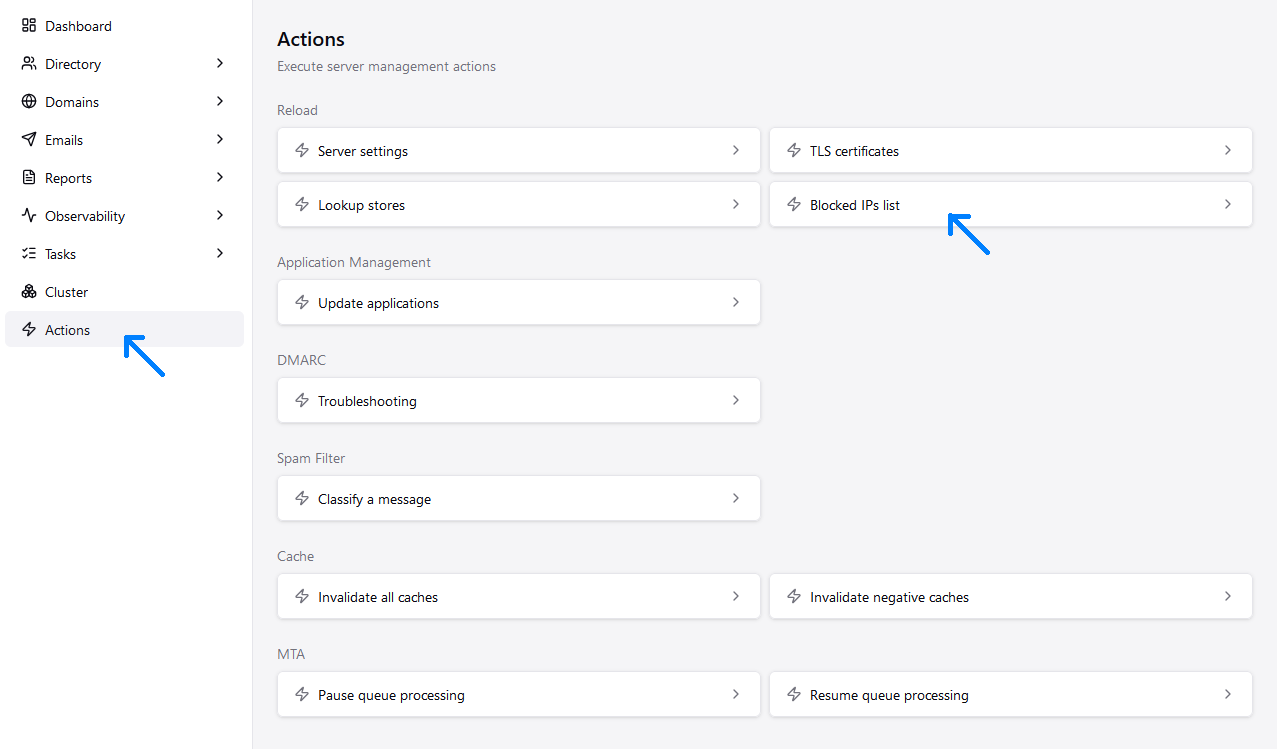
Removing a BlockedIp entry via webadmin (Settings > Security > Blocked IPs) should immediately unblock that IP. Adding an IP to AllowedIp should immediately bypass auto-ban for that IP, per the documented behavior.
Actual Behavior
Neither remediation takes effect until the process is restarted:
- Removing the BlockedIp entry disappears from the webadmin list, but within seconds a fresh “Blocked IP address” log line appears for the same IP and connections keep being rejected.
- Adding the IP to AllowedIp has no effect — bans continue regardless.
Only a full container restart clears the problem, with no other config changes.
Note: this looks similar to issue #410 (“Auto-banned IPs not taking effect until node restarted”), but I believe it’s a distinct issue. #410’s root cause (fixed in v0.16.7) was Keep-Alive connections letting an attacker reuse an already-open connection past a freshly-created ban. We’re on v0.16.11 (post-fix) and hitting this regardless of Keep-Alive — the block/allow-list change itself never reaches the in-memory enforcement state, whether it’s a brand-new ban or a removal/allow-list addition. So this doesn’t look like a Keep-Alive/connection-reuse problem, but a settings-API cache-invalidation gap (details below).
This is the same bug reported twice before on GitHub (search “allowed-ip does not unblock the address”, GitHub issue #1383, and “Automatic ban keeps blocking IP despite being on the Allowed IP list”, GitHub issue #1922, v0.13.x) and apparently never fixed.
Reproduction Steps
- Trigger the auto-ban (security.ip-blocked) for an IP, e.g. via excessive port-scan-like connection attempts on the HTTP listener.
- Confirm the IP is blocked (connections rejected at accept time).
- Via webadmin, either delete the BlockedIp entry for that IP, or add an AllowedIp entry for it.
- Observe that the block is still enforced — the change is visible in the webadmin list but has no effect on actual connection handling.
- Restart the Stalwart process — the fix takes effect immediately.
Relevant Log Output
INFO Blocked IP address (security.ip-blocked) listenerId = “http”, localPort = 8080, remoteIp = , remotePort = , reason = “Excessive port scanning attempts”
This log line reappears for the same IP immediately after deleting the BlockedIp record via webadmin, even with no further scanning activity, because the fail2ban rate-limiter counter is untouched by deleting the record.
Note: this is INFO-level output — I don’t have trace-level logs captured for the original incident. Happy to reproduce with trace logging enabled if that would help confirm.
Stalwart Version
v0.16.x
Installation Method
Docker
Database Backend
RocksDB
Blob Storage
RocksDB
Search Engine
Internal
Directory Backend
Internal
I have reviewed the documentation and FAQ and confirm that my issue is NOT addressed there.
on
I have searched this support forum (open and closed topics) and confirm this is not a duplicate.
on
I understand that topics in this category are triaged by a bot first but a human reply will follow up. If I’d prefer a human-only reply, I’ll add the no-ai tag to my topic.
on