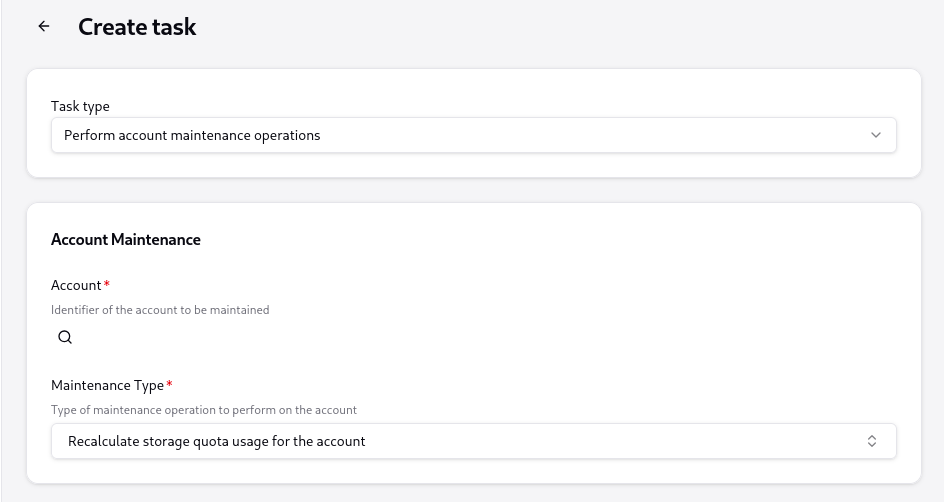
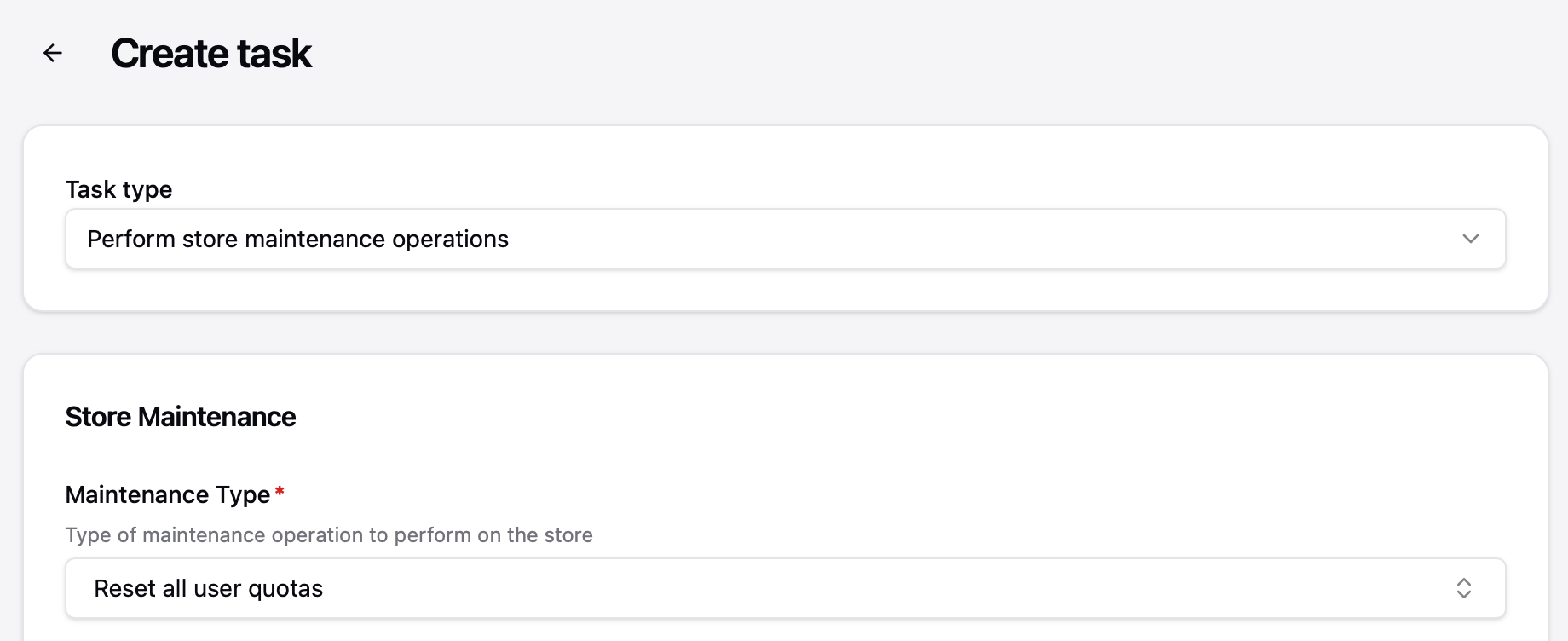
I cannot recalculate disk quotas after following these directions;
"Navigate to the Tasks section of the admin panel and trigger the “Recalculate disk quotas” task. "
There is no task called “Recalculate disk quotas” and I cannot create one.
I understand that topics in this category are triaged by a bot first but a human reply will follow up. If I’d prefer a human-only reply, I’ll add the no-ai tag to my topic.
The docs make it clear that quota recalculation in the current version works through the Task system, not a named “Recalculate disk quotas” button. That phrasing is from the legacy 0.15 docs. Here is how to do it now:
The “Recalculate disk quotas” task no longer exists as a single button. In the current version, quota recalculation is done by creating an AccountMaintenance task with maintenanceType: recalculateQuota for a specific account, or a StoreMaintenance task with maintenanceType: resetUserQuotas (or resetTenantQuotas) to reset quotas server-wide.
Via the WebUI: Go to Management › Tasks › Scheduled, create a new task, choose the AccountMaintenance or StoreMaintenance variant, and set the appropriate maintenanceType.
Via the CLI:
For a single account (replace <accountId> with the actual ID):
The available maintenanceType values for accounts are: purge, reindex, recalculateImapUid, and recalculateQuota. For a store-wide reset, use resetUserQuotas, resetTenantQuotas, or resetBlobQuotas.
The task does exist, it’s just not a one-click button: go to Tasks >
Scheduled > Create task, pick “Quota recalculation” under maintenance
types, scope per-account, and set a near-future timestamp.
Is there something missing on my end? I see nothing in the task type called “Quota recalculation”. The closest is “Recalculate storage quota usage for the account” - Is this what one is referring to?
A button is not created in my case. And one has to “schedule” the task as a retry for it to show up in pending tasks. Maybe it is better to do this via the stalwart-cli than try and fiddle with the UI.
That being said I also spent a very long time figuring that out. So it really would be great if the upgrading instructions to 0.16 would be more clear.
There is an inconsistency in the documentation often, I imagine they’ll fix this. That resetting quota for all accounts exists under “Perform store maintenance operations”, while individual account quotas live somewhere else is confusing. It also makes doing simple operations kinda slow in that there are lots of clicks.