Issue Description
I am not able to receive emails from certain providers, most notably Proton but also includes companies like Portainer io (which I believe uses Google Workspaces), August Home (also Google Workspaces). The vast majority of service providers have no issues (including Gmail, Outlook). Proton is the easiest for me to isolate and test the behavior.
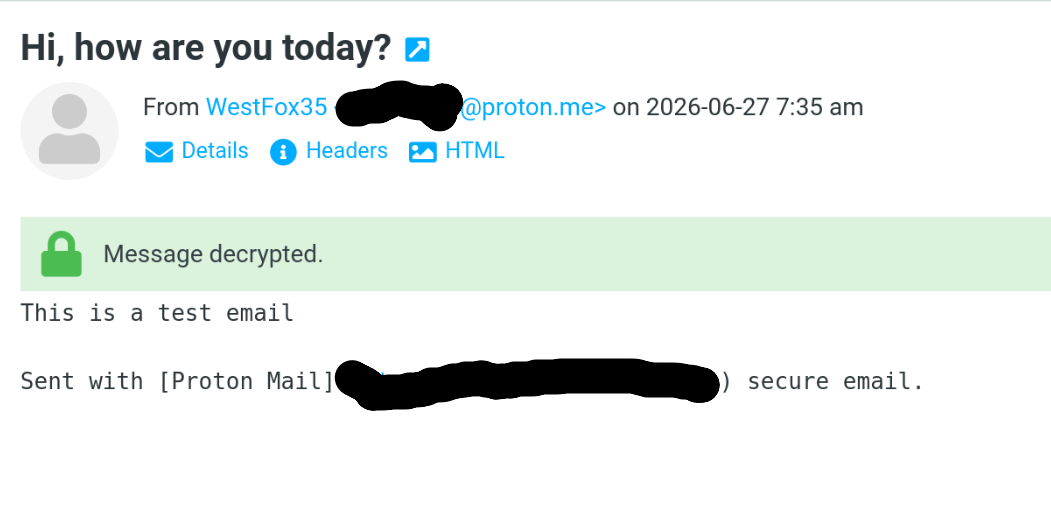
When I send an email from Proton to my Stalwart instance, the first thing I notice is that there are no log entries in Stalwart for the incoming message–nothing. No entries with proton or any of the IP addresses associated with mail.protonmail.ch appear anywhere in the logs. On the Proton side, it appears initially that the send was successful; but after 12 hours, I will get a partial bounce back message: from [email protected]: “Delayed Mail (still being retried)”. Inside the message, I see <[name]@ex.ample>: conversation with mail.ex.ample[x.x.x.x] timed out while receiving the initial server greeting.
Troubleshooting: since I don’t see anything in Stalwart’s logs, based on the limited information I have from the error message Proton provided, I am inferring from this message that the timeout is happening during TLS handshake. If so, perhaps this is due to an MTU mismatch. Originally, I had the default 1500 MTU set on my network adapter. After some ping/traceroute testing, I found that 1472 was the max I could use without packet fragmentation; so I set my adapter’s MTU to 1472. Tailscale has an MTU of 1280, but I don’t think this comes into play as communication over tailscale only happens in transit to the database. Swarm adds a 50 byte packet overhead on overlay networks, so I settled on an MTU of 1400 for Docker’s networks.
I set the default MTU in /etc/docker/daemon.json to 1400. I disbanded my swarm so that I could drop and recreate the docker_gwbridge network. I manually recreated gwbridge with a 1400 MTU on all 3 nodes. Then I reformed the swarm, recreated all of my overlay networks with the new MTU and redeployed.
I observe no change in behavior.
I wondered if perhaps OpenPGP encryption could be a factor (encryption at rest is enabled for my primary email account with OpenPGP), so I created a test account without encryption. I observe the same behavior.
Expected Behavior
Email from all providers should be delivered
Actual Behavior
<[name]@ex.ample>: conversation with mail.ex.ample[x.x.x.x] timed out while receiving the initial server greeting.
If timeouts do occur that prevent receiving emails, this should be treated an urgent warning and exposed in the logs or the UI.
Reproduction Steps
If this is a bug, I suspect it’s very much an edge case. I doubt very many people are running a configuration exactly like mine, and I suspect this is a configuration issue more than anything else. I don’t know that there are generalized steps to reproduce this behavior (maybe there are, but I don’t know).
Relevant Log Output
This is the mail system at Proton Mail.

####################################################################
# THIS IS A WARNING ONLY.  YOU DO NOT NEED TO RESEND YOUR MESSAGE. #
####################################################################

Your email could not be delivered for more than 12 hour(s).
See below for the delivery error.

It will be retried until it is 2 day(s) old.
If still not successfully delivered by then, our system will stop retrying and send you a bounce email.

The most common reason for delayed email is unreachable recipient mail server.
Learn more about delivery errors in our knowledge base: https://proton.me/support/smtp-errors


<[EMAIL]>: conversation with mail.ex.ample[[IP_V4]]
    timed out while receiving the initial server greeting

----------------------------------------------
message/delivery-status
----------------------------------------------
Reporting-MTA: dns; mail-244104.protonmail.ch
X-Postfix-Queue-ID: 4gn4gK0409zMqXWx
X-Postfix-Sender: rfc822; [EMAIL]
Arrival-Date: Fri, 26 Jun 2026 18:57:49 +0000 (UTC)

Final-Recipient: rfc822; [EMAIL]
Original-Recipient: rfc822;[EMAIL]
Action: delayed
Status: 4.4.2
Diagnostic-Code: X-Postfix; conversation with mail.ex.ample[[IP_V4]]
    timed out while receiving the initial server greeting
Will-Retry-Until: Sun, 28 Jun 2026 18:57:49 +0000 (UTC)

----------------------------------------------
text/rfc822-headers
----------------------------------------------
Return-Path: <[EMAIL]>
Received: from mail-06.mail-europe.com (mail-06.mail-europe.com [[IP_V4]])
	(using TLSv1.3 with cipher TLS_AES_256_GCM_SHA384 (256/256 bits)
	 key-exchange X25519 server-signature RSA-PSS (4096 bits))
	(No client certificate requested)
	by mail-244104.protonmail.ch (Postfix) with ESMTPS id 4gn4gK0409zMqXWx
	for <[EMAIL]>; Fri, 26 Jun 2026 18:57:49 +0000 (UTC)
Authentication-Results: mail.protonmail.ch;
	dkim=pass (2048-bit key) header.d=proton.me [email protected] header.b="Y36o6yw+"
DKIM-Signature: v=1; a=rsa-sha256; c=relaxed/relaxed; d=proton.me;
	s=protonmail; t=1782500134; x=1782759334;
	bh=iSSyu2P3uUum15sU45DSSAQ2B0kr4khbG7yafZQ8y8E=;
	h=Date:To:From:Subject:Message-ID:Feedback-ID:From:To:Cc:Date:
	 Subject:Reply-To:Feedback-ID:Message-ID:BIMI-Selector;
	b=Y36o6yw+ZoPlIlVq+an/dpPu5tsLNiN8LNB625K7wjgAKzOmkyBqoj7LFH12pmz9R
	 NzCViVe3LfQI49+ptn+HzQbadgaYEbsKiSC1ZjVqbMksGFSAX4xxm40HZKRdj35C/m
	 4V+1EC1uJkVzKnnlKvGId827lf7B6hoDwVBI6WaYtTXTcau/PExlDmhbkqvLnex8VX
	 Y5MagPogzLty5liZh9KBXyeS00tn3BQSqLLDnp3og3TDQLjzm4jO9podN0M0QCo9I3
	 aIPmRXo+SB8dh1oQniyH8iDnPAO5+U1NxjjdbEo3XuY9WiwN0y3c2swtduFT3wplDp
	 PXvr5zt81WKtw==
Date: Fri, 26 Jun 2026 18:55:30 +0000
To: "[EMAIL]" <[EMAIL]>
From: Christopher Froehlich <[EMAIL]>
Subject: try lower mtu
Message-ID: <oMHyXtLfE9DMR3sjxRP0KuwTPLbYYe4xd6m86BXCqwa7Enhfbs55Aw5n0M0ev3Z72DUIIeMGJ6xJzzolaJpO3EhPbXX_nuu961noCyjzTUE=@proton.me>
Feedback-ID: 157306042:user:[REDACTED_USER]
X-Pm-Message-ID: b4cdad6e7aa474241a3ab744d12ed3914f2590d8
MIME-Version: 1.0
Content-Type: multipart/encrypted; protocol="application/pgp-encrypted"; boundary="------44dc09d3b1d499ac23fe757e89986c11e9b06aa12502fb0d90223607d08bfb23"; charset=utf-8
Stalwart Version
v0.16.x
Installation Method
Docker
Database Backend
PostgreSQL
Blob Storage
PostgreSQL
Search Engine
PostgreSQL
Directory Backend
Internal
Additional Context
My setup: I am running Stalwart in Docker Swarm (1 manager, 2 workers) across 3 VPS instances. The host is a Proxmox (9.2.3) server, docker is running inside an LXC (Debian, latest). Postgres (18) is running in a separate LXC. My cluster is connected via Tailscale (running through a private Headscale instance, also its own LXC). Stalwart communicates with Postgres over Tailscale. Stalwart itself is not clustered, it runs on the manager node. All Stalwart storage is in Postgres. I am running Technitium DNS (15.2, swarm, clustered) which handles my public facing DNS records. I observed this on Stalwart 0.15.x, and I decided to upgrade to 0.16 to take advantage of the automatic DNS management via RFC 2136. I still observe this on 0.16. I purged my old 0.15 manually created records and let Stalwart generate everything.
I am running Pangolin and Traefik as my reverse proxy. I have port 25 (and others) open through UFW on the host, and Pangolin routes TCP packets on 25 (and others) to the stalwart service. The swarm manager LXC has the same public IP address used for mail.ex.ample.
I have reviewed the documentation and FAQ and confirm that my issue is NOT addressed there.
on
I have searched this support forum (open and closed topics) and confirm this is not a duplicate.
on
I understand that topics in this category are triaged by a bot first but a human reply will follow up. If I’d prefer a human-only reply, I’ll add the no-ai tag to my topic.
on