I can not make a user within its tenant a tenant admin
Expected Behavior
The user is member of the tenant. To make him a tenant admin I follow the docs and want to give him a the Built-in Roletenant-admin.
Actual Behavior
Can not save the custom role → Tenant Administrator for an account This item references another item that does not exist.
Reproduction Steps
go to Admin → Management → Account → [email protected] → Groups & Roles
Choose Roles (Roles assigned to this user account) → Custom Role
Choose Custom Role (List of roles assigned to this principal) → Tenant Administrator
Save
Got error This item references another item that does not exist.
Relevant Log Output
nothing in logs
Stalwart Version
v0.16.x
Installation Method
Binary (Linux)
Database Backend
RocksDB
Blob Storage
RocksDB
Search Engine
Internal
Directory Backend
Internal
I have reviewed the documentation and FAQ and confirm that my issue is NOT addressed there.
on
I have searched this support forum (open and closed topics) and confirm this is not a duplicate.
on
I understand that topics in this category are triaged by a bot first but a human reply will follow up. If I’d prefer a human-only reply, I’ll add the no-ai tag to my topic.
Let me research this issue with tenant admin roles.
The error “This item references another item that does not exist” points to a known constraint: the tenant-admin built-in role is an Enterprise-only feature tied to multi-tenancy support. There are two likely causes for this error:
Multi-tenancy requires an Enterprise license. The tenant-admin role is created as part of the default role set that ships with multi-tenancy, which is an Enterprise-exclusive capability. On a non-Enterprise (community) install, the “Tenant Administrator” role object may not exist in the database, so assigning it fails with exactly this referential integrity error.
The role was never seeded. Even on an Enterprise install, if the built-in roles were not initialised (e.g. fresh install, migration, or the defaults were cleared), the “Tenant Administrator” role object literally does not exist as a stored principal, causing the same error when you try to reference it.
How to verify and fix:
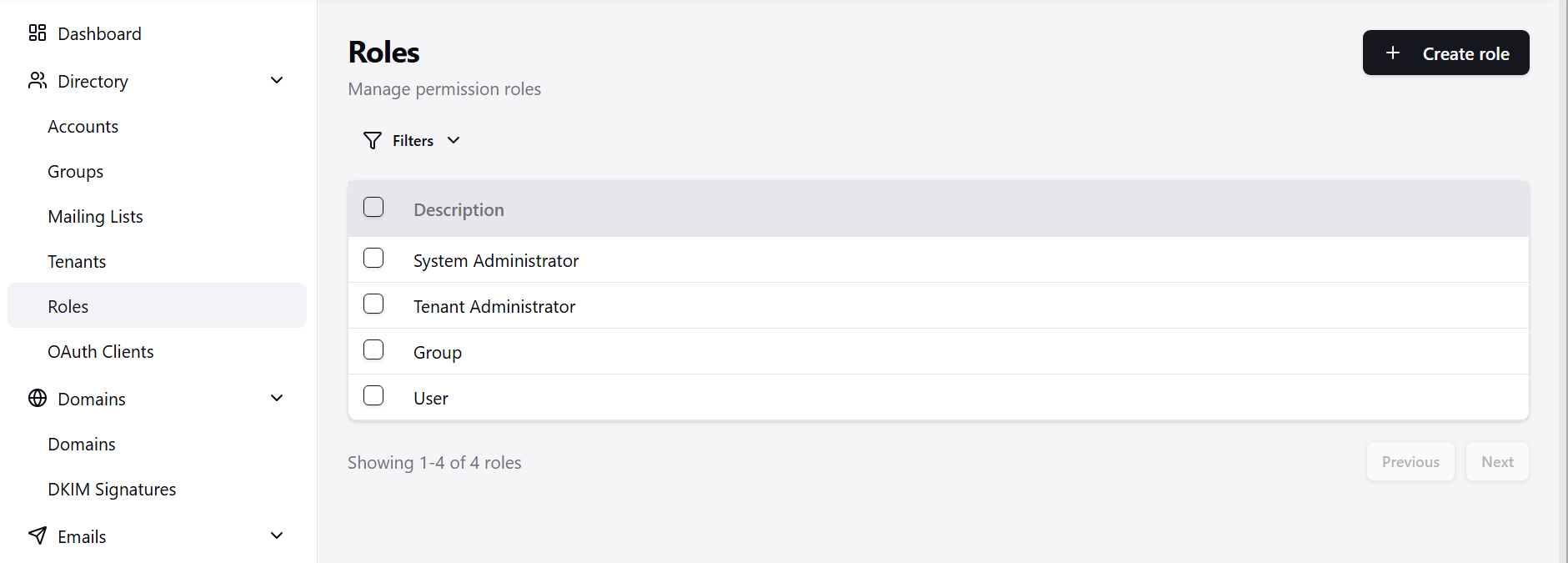
Go to Management › Directory › Roles and check whether a role named “Tenant Administrator” is listed there. If it is missing, that is the root cause.
If you have an Enterprise license and the role is missing, you can recreate it manually: create a new Role, set its description to Tenant Administrator, and assign the appropriate tenant-management permissions to it. Then assign that role to the user.
If you do not have an Enterprise license, multi-tenancy (including tenant-admin) is not available. You would need to grant individual permissions or use the admin built-in role instead.
Any chance to fix that I can use the default tenant admin role to have a different tenant admin user per tenant? Or is it intended by design that I should create a tenant admin role for every tenant?
This is actually working as intended, though I agree the flow is confusing and the error message is unhelpful. Let me explain how roles work so you can get the result you want.
Two different things are called “roles” here:
The role type (User / Admin / Custom). This is the top-level choice on an account’s Roles field.
Custom role objects, like the ones you see in the role directory (“Tenant Administrator”, “System Administrator”, “User”, “Group”).
The built-in “Tenant Administrator” and “System Administrator” entries are global objects. They are not meant to be attached to an account directly. Instead, they are wired up behind the scenes as the defaults for the Admin role type:
An account with type Admin that belongs to a tenant automatically receives the tenant administrator permissions (the global “Tenant Administrator” role plus the base “User” role).
An account with type Admin that is not in a tenant receives the system administrator permissions instead.
So the correct way to make your account a tenant administrator is:
Account → Groups & Roles → Roles → set the type to Admin (not Custom) → Save.
Because the account is a member of a tenant, “Admin” resolves to tenant administrator scope automatically. You do not select “Tenant Administrator” from the list.
You may ask, why “Custom → Tenant Administrator” fails? Custom roles are tenant-scoped. A tenant account can only reference roles that belong to its own tenant. The built-in “Tenant Administrator” is a global role with no tenant, so a tenant account cannot reference it directly. This is a deliberate isolation boundary: if tenant accounts could attach arbitrary global roles, a tenant admin could grant themselves “System Administrator” and escape the tenant. That is exactly what the check prevents. This is also why it works when the account is not in a tenant: a global account can reference global roles.
The “Custom” type is intended for roles you create inside your tenant, when you want a permission set different from the standard Admin/User defaults.
On our side we will improve two things: the Custom role picker should not list global roles that cannot be assigned to a tenant account, and the error message should explain this instead of the generic “references another item that does not exist.”