Running v0.16.17 with the default internal search store, about 29,500 messages migrated in from a previous provider.
I wanted to move the Search Store to Meilisearch, because the internal bloom filter index can’t do partial matching. smartchoice matches, smartc never will, which is fair enough given how bloom filters work. What surprised me more is the false positives: searching qeti@zz returns 7 results for an address that has never existed on my server. So short fragments both miss real matches and invent fake ones.
The problem is that changing Store type points the server at an empty index. New mail gets indexed from that moment, but the 29,500 messages already delivered don’t, and I can’t find any way to reindex them:
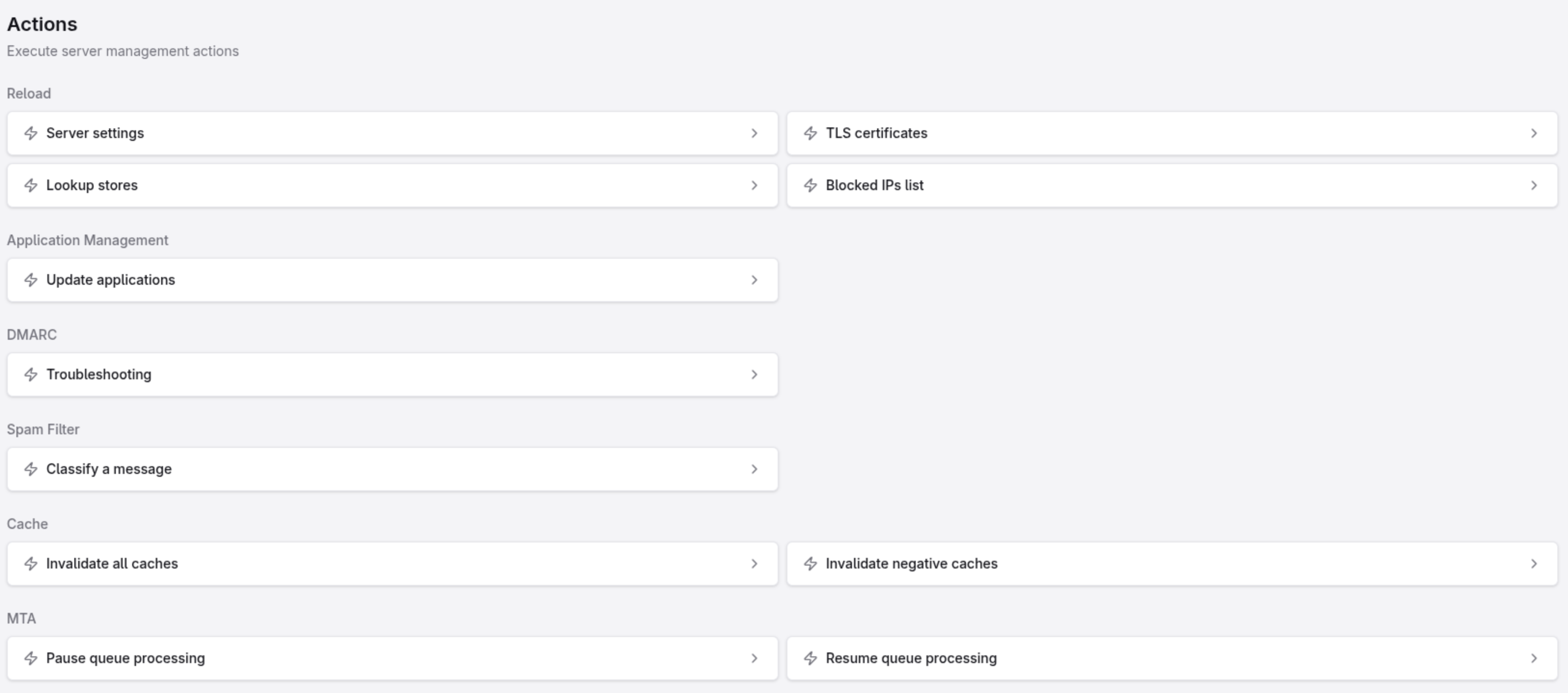
stalwart --helponly offers--config,--export,--import,--console- the admin console (WebUI v1.0.8) has no reindex action, not on the Search Store page, not on the Full-Text Search page, and there’s no maintenance section anywhere
- v0.16 removed the REST API, so there’s no endpoint to call either
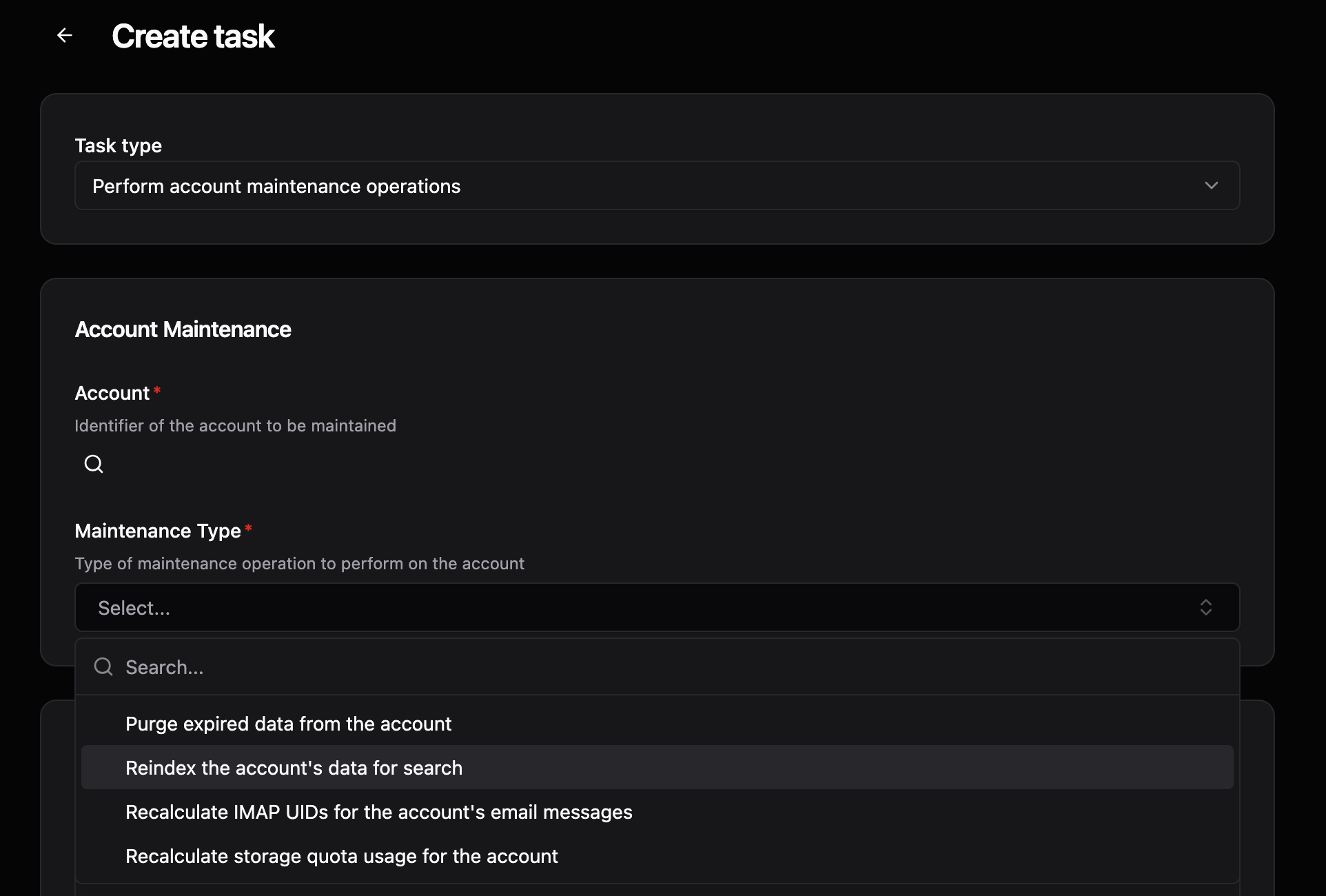
The changelog does mention reindexing (“Search: reindex drops calendar and contact index tasks for accounts with fewer than a full batch of items”), so the code path seems to exist. I just can’t find a way to trigger it as an operator.
That effectively makes the Search Store setting unusable on any server that already has mail on it.
Would it be possible to expose a reindex? A button in the console, or a CLI subcommand like stalwart --reindex, either would work. Failing that, even just documenting the supported migration path would be enough. Does --export followed by --import rebuild the index? If so I’d happily schedule downtime for it, I just don’t want to guess on a production mailserver.
One smaller thing while I’m here: the Search Store dropdown currently lets you pick any backend with no warning that existing mail won’t be carried over. If I’d switched it without checking first, I’d have silently lost search across my entire archive with no error and no sign anything was wrong until someone searched for an old message. A warning on that setting would be worth having even before a reindex exists.