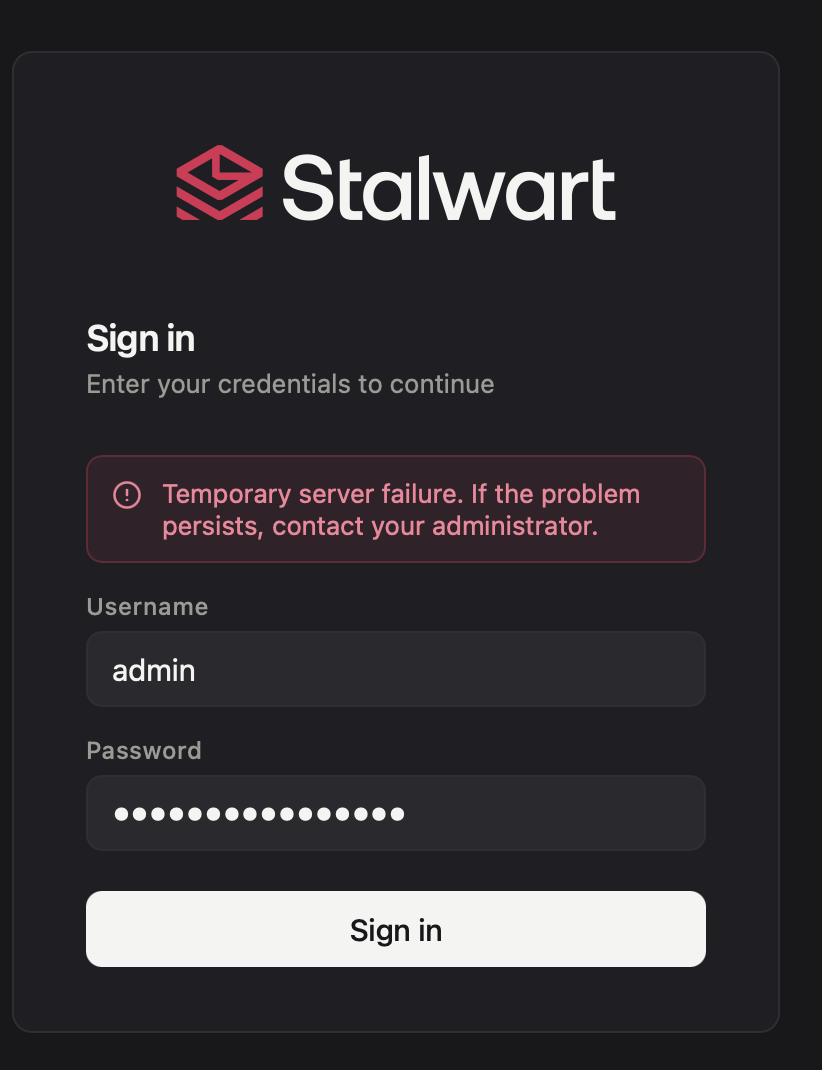
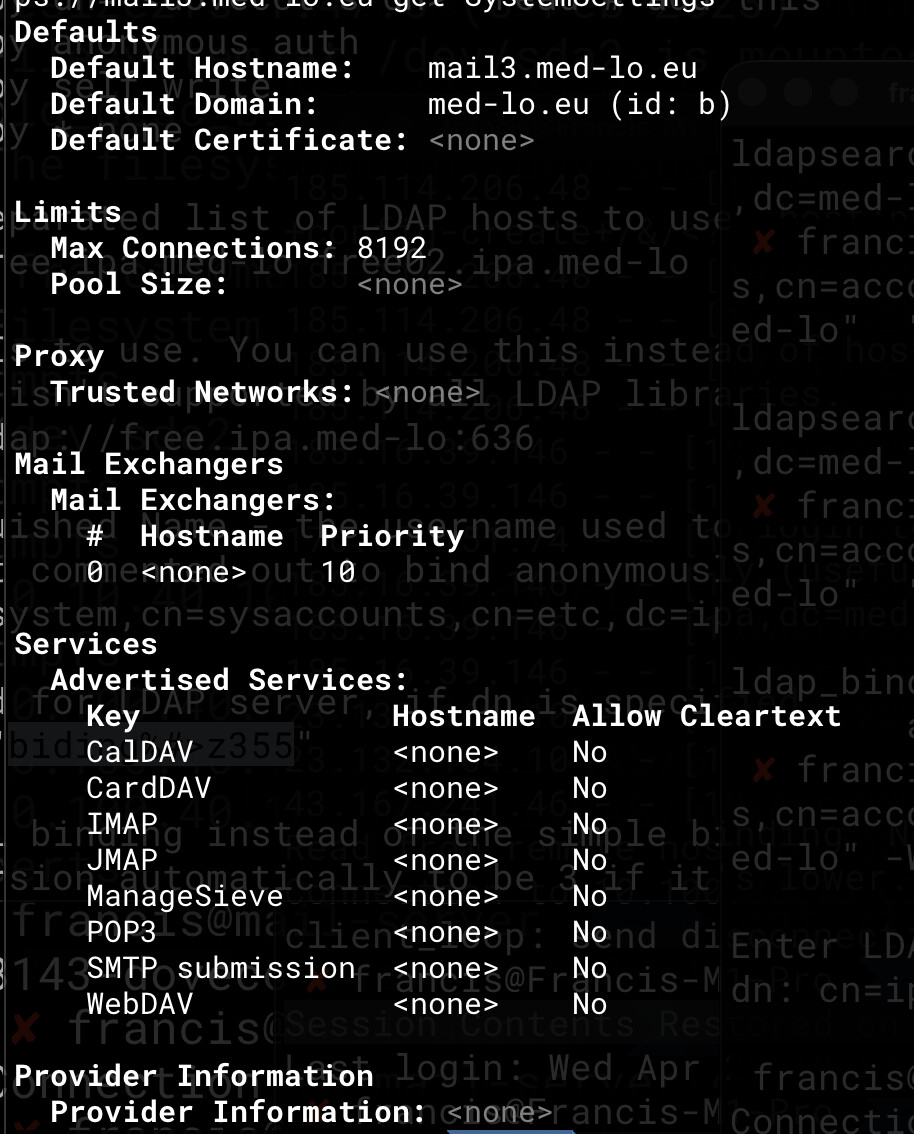
I have finished the setup. As I am using ldap, I went on to the the admin account user with the recovery env variable.
But then I get a “Temporary Server Failure”, with no log whatsoever on docker.
How can I find out and fix what is wrong?
I was expected to login and eventually fix any issue.
Stalwart Version
v0.16.x
Installation Method
Docker
Database Backend
FoundationDB
Blob Storage
S3-compatible
Search Engine
Internal
Directory Backend
LDAP
I have reviewed the documentation and FAQ and confirm that my issue is NOT addressed there.
on
I have searched this support forum (open and closed topics) and confirm this is not a duplicate.
on
I understand that topics in this category are triaged by a bot first but a human reply will follow up. If I’d prefer a human-only reply, I’ll add the no-ai tag to my topic.
“Temporary Server Failure” in an IMAP/JMAP/ManageSieve context with no logs almost always points to the LDAP directory being unreachable or misconfigured, so Stalwart cannot authenticate the user and returns a generic failure. Here are the key things to check and how to get more information:
1. Increase logging verbosity
By default Docker logging may not surface debug-level events. In the WebUI go to Settings → Telemetry → Logging, or set the log level to debug or trace for the directory and auth subsystems so that LDAP bind/search errors appear in the container logs (docker logs <container>).
2. Verify the LDAP directory is reachable from the container
Stalwart connects to your LDAP server using the URL and bind credentials you provided. Common causes:
The LDAP hostname is not resolvable from inside the Docker network.
The bind DN or password is wrong — a failed bind returns a generic auth error.
TLS certificate validation is failing if you’re using ldaps://.
3. Use the fallback administrator to test
The fallback (recovery) administrator account (set via the STALWART_FALLBACK_ADMIN env variable) is not looked up in LDAP — it is an internal account. If you’re also getting “Temporary Server Failure” when logging in with the fallback admin credentials, the problem is something else (e.g. the database/FoundationDB or S3 backend is not reachable). Verify those connections as well.
4. Check FoundationDB / S3 connectivity
With FoundationDB as the database backend and S3 for blobs, either of those being unavailable at startup would also produce a failure. Confirm the FDB cluster file is mounted correctly and S3 credentials/endpoint are reachable from within the container.
This is an automated reply from the Stalwart Help Bot. Other community members may follow up if this answer is incomplete or wrong. If you found it useful, mention @helpbot in any reply to ask follow-up questions and the bot will respond again.
That log line is very helpful — authentication itself is succeeding. The “Temporary Server Failure” message is appearing after login, which means the issue is not with LDAP or the fallback admin credentials. The most likely cause at this point is that the FoundationDB or S3 backend is returning an error when Stalwart tries to actually read/write data after authenticating.
Things to check next:
1. FoundationDB cluster file
Make sure the FDB cluster file is correctly mounted into the Docker container and points to a reachable coordinator. If the FDB client can’t connect to the cluster, any operation that touches the data store will fail after a successful login.
2. S3 blob storage connectivity
Verify that the S3 endpoint, bucket name, access key, and secret are all correct and reachable from within the Docker container. An S3 connectivity error at read/write time would produce exactly this kind of post-login failure.
3. Raise log level for storage subsystems
In the WebUI (Settings → Telemetry → Logging), set the log level to debug or trace for the store subsystem and then attempt to log in again. Storage-layer errors (FDB timeouts, S3 403/404, etc.) should now appear in docker logs <container>.
4. Check Docker networking
Confirm that the container can actually reach both the FDB coordinators and the S3 endpoint — network policies or missing environment variables for the FDB cluster file path are common culprits in Docker-based setups.
The fact that auth.success is logged means Stalwart authenticated you correctly; the failure is happening one step later when it tries to load your account’s data from the storage backends.
This is an automated reply from the Stalwart Help Bot. Other community members may follow up if this answer is incomplete or wrong. If you found it useful, mention @helpbot in any reply to ask follow-up questions and the bot will respond again.
The browser error Invalid or missing redirect_uri: null is coming from the WebUI’s OAuth/OIDC discovery flow, not from a manually-configured OIDC provider. Here’s what’s happening:
When you type your username into the login page, the WebUI calls /api/discover/<username> to check whether your account is served by an OIDC-capable directory. If that endpoint returns something unexpected (or if window.location.origin resolves to null inside the browser context), the redirect_uri that gets built — ${window.location.origin}/oauth/callback — comes out as null/oauth/callback or empty, causing this exact error.
Most likely cause in your setup: the WebUI is being served behind a reverse proxy that isn’t forwarding the correct Host / Origin headers, so window.location.origin is null in the browser. This is a separate issue from the earlier “Temporary Server Failure” and is worth ruling out independently.
Things to check:
Reverse proxy headers — make sure your proxy (nginx, Caddy, Traefik, etc.) passes Host and, if using HTTPS termination, sets X-Forwarded-Proto: https and X-Forwarded-Host correctly. Without these, the browser’s window.location.origin can resolve to null.
VITE_OAUTH_CLIENT_ID / base path env vars — if the WebUI was built with a non-empty VITE_BASE_PATH, the callback URL constructed will include that prefix. Confirm your Docker deployment’s environment variables match the actual served URL.
The discovery endpoint — hit https://mail3.med-lo.eu/api/discover/<yourusername> directly in a browser tab and check what it returns. If it throws an error or returns unexpected JSON, that’s the root cause.
The “Temporary Server Failure” after a successful auth.success log line — combined with this redirect_uri: null JS error — does suggest a reverse proxy or origin misconfiguration rather than an application bug. It would be worth tagging @mdecimus anyway since the null origin case could arguably be handled more gracefully in the WebUI.
This is an automated reply from the Stalwart Help Bot. Other community members may follow up if this answer is incomplete or wrong. If you found it useful, mention @helpbot in any reply to ask follow-up questions and the bot will respond again.
Since there’s no reverse proxy, window.location.origin should resolve correctly from a direct connection. The redirect_uri: null error in this case most likely means the /api/discover/<username> call itself is failing or returning an unexpected response, which causes the OAuth flow to abort before a valid redirect_uri can be constructed.
Key things to check without a reverse proxy:
Try the discovery endpoint directly — open your browser and navigate to:
Look at what it returns. If it’s an error or an unexpected response, that’s the root cause.
Direct Docker port access — if Stalwart is running directly on port 443 inside Docker, confirm no VITE_BASE_PATH or VITE_OAUTH_CLIENT_ID env vars were accidentally set when the image was built, as those could affect the redirect URI construction.
TLS certificate — if the browser is showing a certificate warning and the page is partially loaded (mixed content), window.location.origin can sometimes return null on certain browsers. Confirm the TLS cert for mail3.med-lo.eu is valid and trusted.
The “Temporary Server Failure” and the redirect_uri error may be the same issue — if the discovery endpoint is failing (e.g. because FDB/S3 is not fully ready when the login attempt is made), it would explain both symptoms simultaneously.
Given the combination of FoundationDB + S3 backend, it’s still worth double-checking storage connectivity with debug-level logging enabled for the store subsystem, as a partially-initialized backend could cause the /api/discover/ call to fail and trigger this chain of errors.
This looks like it may be a bug worth reporting to @mdecimus — specifically that a failed discovery call results in redirect_uri: null rather than a clear error message.
This is an automated reply from the Stalwart Help Bot. Other community members may follow up if this answer is incomplete or wrong. If you found it useful, mention @helpbot in any reply to ask follow-up questions and the bot will respond again.
I am not sure I follow. I tried to open port 80 on the container, it didn’t help.
Port 8080 works still, but the directory shows nothing, even if there’s no error on its configuration.
[Error] Failed to load resource: the server responded with a status of 404 (Not Found) (logo, line 0)
[Log] Invalid or missing redirect_uri: – null (login, line 1)
Error: missing redirect_uri
(anonymous function) — login:1:9807
p — login:1:10139
(anonymous function) — login:1:12223
/login is used to get the authorization code for web apps. You can check openapi.yaml. So it is not to be used as a default page but as a OIDC that indeed returns an return_uri and send back a token. For example web app can use this URL like this: