Your question
I’m trying to setup email alerts (yes, I have enterprise).
For example, if %{delivery.rate-limit-exceeded}% is called , I’d like to send an email alert.
I’m just not sure what to put under the alert condition. I’m fairly new to stalwart, and learning the ropes. The documentation is rather vague on this (at least in this area, I’m sure it clarifies it somewhere else).
Thanks 
I understand that topics in this category are triaged by a bot first but a human reply will follow up. If I’d prefer a human-only reply, I’ll add the no-ai tag to my topic.
on
Let me look up the alerting/notification documentation to give you accurate details.
Here is how the alert condition field works and how to adapt it for delivery.rate-limit-exceeded.
The condition is an expression string, not a metric placeholder. Metric identifiers in expressions use underscores instead of dots and hyphens. So delivery.rate-limit-exceeded becomes delivery_rate_limit_exceeded in the condition expression. The alert fires whenever that expression evaluates to true (i.e. is greater than zero / non-zero).
Example alert for delivery.rate-limit-exceeded:
{
  "enable": true,
  "condition": {
    "else": "delivery_rate_limit_exceeded > 0"
  },
  "emailAlert": {
    "@type": "Enabled",
    "fromName": "Alert Subsystem",
    "fromAddress": "[email protected]",
    "to": ["[email protected]"],
    "subject": "Rate limit exceeded alert",
    "body": "The delivery rate limit has been exceeded %{delivery.rate-limit-exceeded}% times."
  },
  "eventAlert": {
    "@type": "Disabled"
  }
}
A few key rules from the docs:
- Condition field: write the metric name with underscores replacing all dots and hyphens (e.g.
delivery_rate_limit_exceeded > 0). You can combine multiple metrics with || or &&.
- Placeholders in subject/body: use the original dotted/hyphenated metric name wrapped in
%{ }% (e.g. %{delivery.rate-limit-exceeded}%). These are for display only, not for the condition expression.
- The
condition object uses an "else" key for the default expression. You can optionally add "match" entries for more complex if/then/else branching.
You can set this up via the WebUI under Settings > Telemetry > Alerts, or via the JMAP API / CLI.
Docs reference: Stalwart Alerts documentation
This is an automated reply from the Stalwart Help Bot. Other community members may follow up if this answer is incomplete or wrong.
Thanks bot.
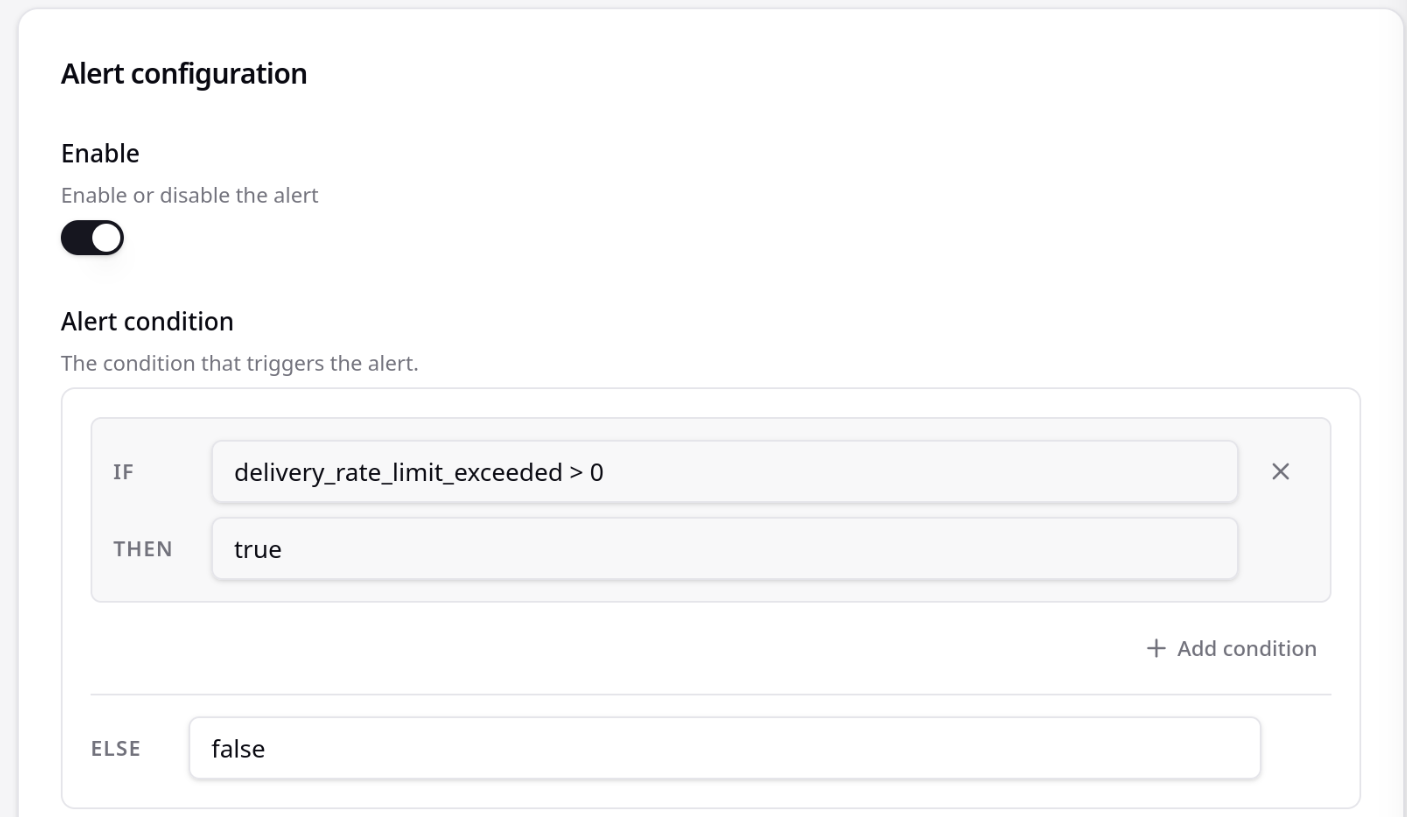
Here is what I’m trying to do with no success. I’m sure it’s a simple fix though.
Hey so I’m trying the following and it’s complaining now about a min length not being met. Do these alerts work in the latest Stalwart?
“delivery_rate_limit_exceeded > ‘0’”
“delivery_rate_limit_exceeded == ‘1’”
There is very little documentation about how to do this on the GUI. It’s all for the config files, which I’m not interested in using.
The condition field is an expression that has to evaluate to true or false, and the %{…}% syntax only works inside the alert’s email subject and body, not in the condition, so that’s why it never fires. Use the metric() function with a comparison instead, for example:
metric(“delivery.rate-limit-exceeded”) > 0
The metric name you have is correct; metric() just returns its current value as a number, so pick whatever threshold you want. In the email body you can still interpolate the value with %{delivery.rate-limit-exceeded}%. References: the Alert object at Alert | Stalwart and the expression functions at Functions | Stalwart.
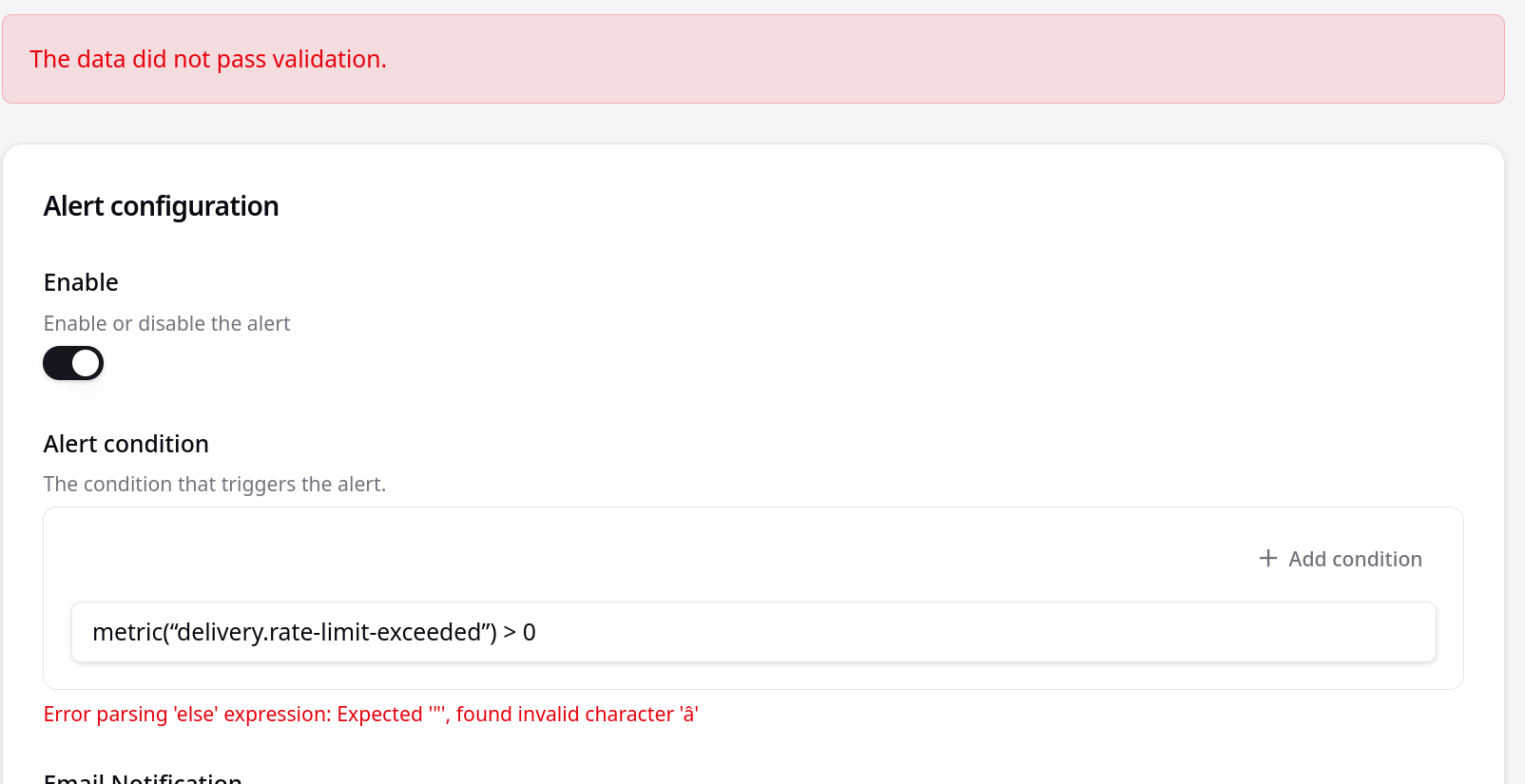
This doesn’t appear to work either.
I’m not even sure what this error is from.
Have you tested to make sure email alerts work in the GUI?
I think you are using a unicode quote rather than the ASCII ", that is why parsing fails.
I’m using an ipad pro with a usb logitech keyboard.
I am typing in ‘"’
It is definitely the ipad, because the same keyboard works on a android phone in desktop mode (android 17).
Any chance you could fix this? I rely on the ipad when away from home as it has a cellular connection and the magic keyboard is amazing.
The keyboard is U.S. and uses ANSI for keyboard type.
General → Keyboard → Smart Punctuation
Or use a code editor and then copy from it.
Copy/pasting does not work.
However, disabling smart punctionation does fix it.
Copy/pasting still doesn’t work. I’m copying the exact text stalwart provided and get the error.