Issue Description
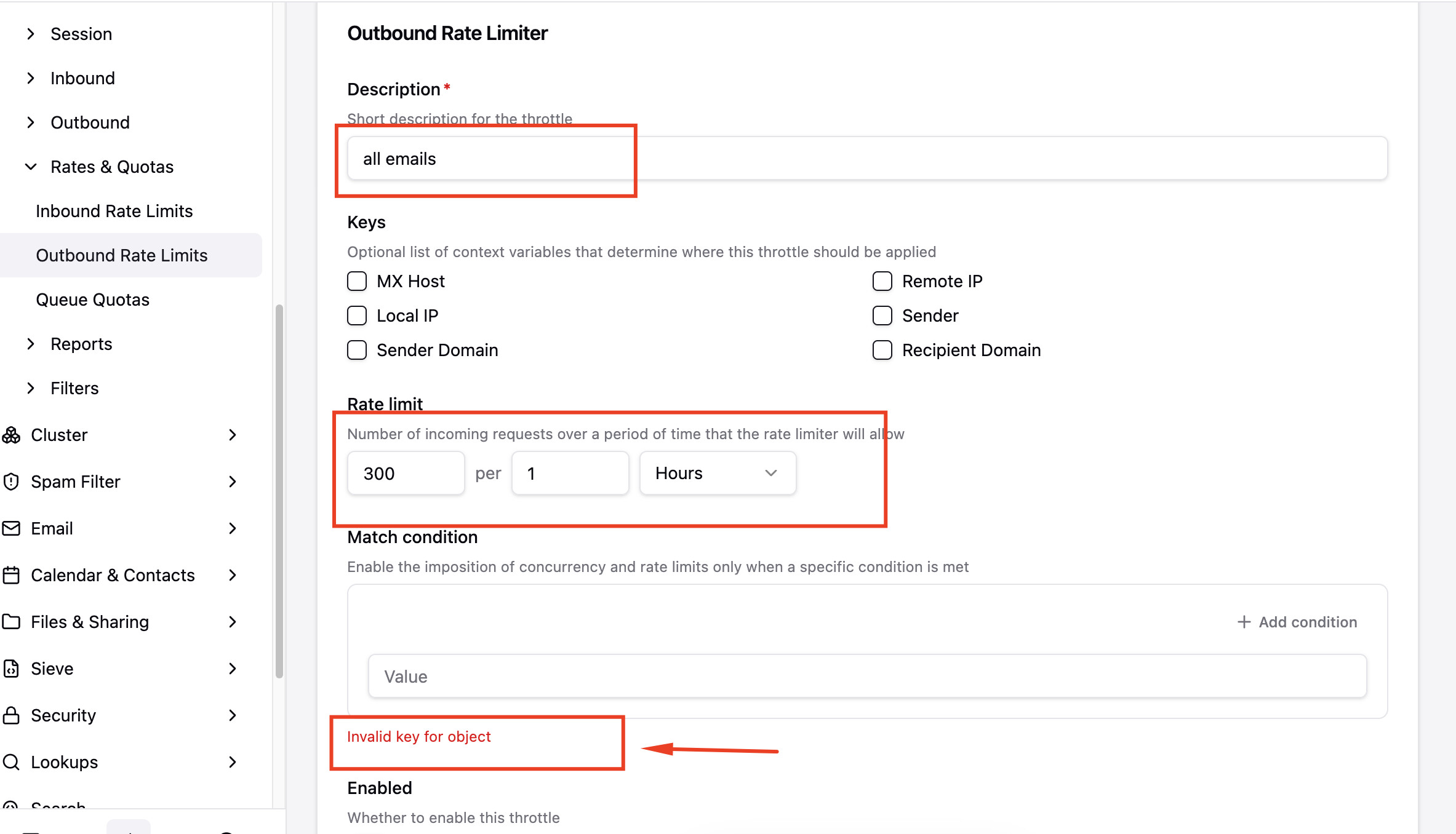
When attempting to create a new Outbound Rate Limiter via the Stalwart WebUI administration portal, the system prevents form submission and displays an “Invalid key for object” validation error under the “Match condition” section.
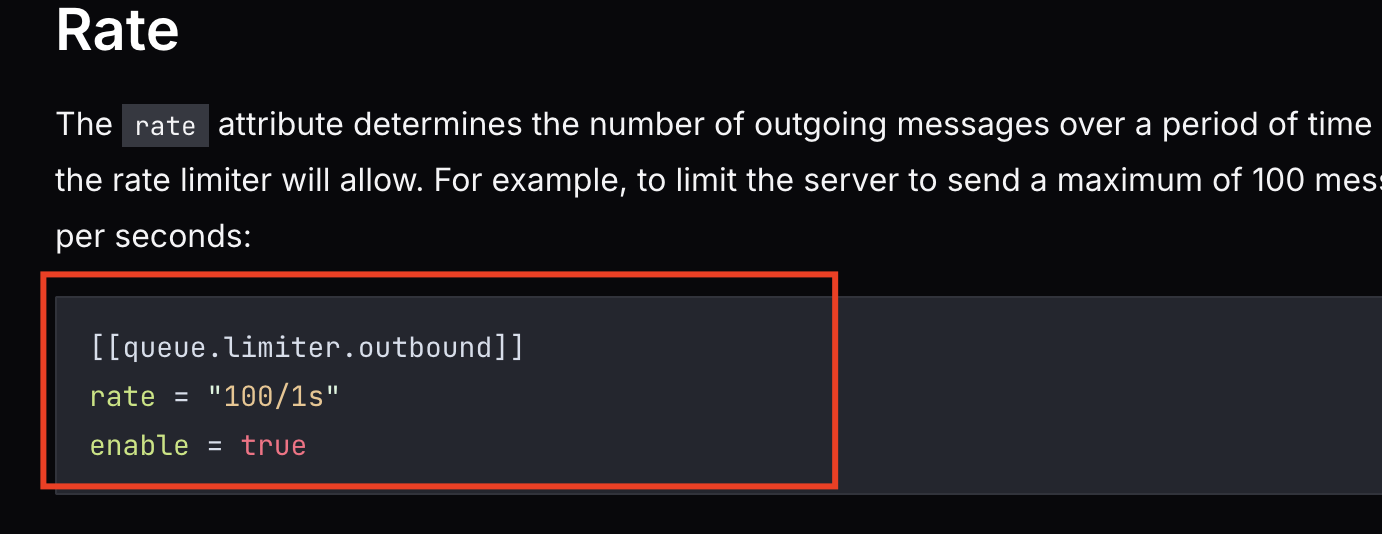
According to the official Stalwart documentation for Outbound Limits[Rate Limits | Stalwart], the Match condition field is optional and should be allowed to remain empty if no specific imposition rules are required. However, the WebUI enforces an invalid validation block even when no conditions have been added.
Actual Behavior
An error message “Invalid key for object” is displayed in red at the bottom of the empty Match condition block, blocking the form submission and preventing the throttle from being created.
Reproduction Steps
1, Navigate to Settings > MTA > Outbound > Outbound Rate Limits.
2, Click on Create throttle (or go directly to the new outbound throttle URL).
3, Fill in the required fields:
- Description: e.g., all emails
- Rate limit: e.g., 300 per 1 Hours
Leave the Keys checkboxes unselected and do NOT click “+ Add condition” under Match condition (leave it entirely blank).
Look at the bottom of the “Match condition” section.
Stalwart Version
v0.16.x
Installation Method
Binary (Linux)
Database Backend
RocksDB
Blob Storage
RocksDB
Search Engine
Internal
Directory Backend
Internal
I have reviewed the documentation and FAQ and confirm that my issue is NOT addressed there.
on
I have searched this support forum (open and closed topics) and confirm this is not a duplicate.
on
I understand that topics in this category are triaged by a bot first but a human reply will follow up. If I’d prefer a human-only reply, I’ll add the no-ai tag to my topic.
on