Hello everyone,
I’ve released an alternative fork of the Stalwart WebUI, based on the official interface, with various UI improvements, fixes, and quality-of-life additions.
The project is public and the latest ready-to-deploy build can be downloaded here:
What’s included in v1.0.8:
- Global command palette with
Ctrl+K/Cmd+Kto search pages, sections, and fields - Improved sidebar behavior:
- Animated accordion sections
- Only one section open at the same level
- Softer hover states
- Better synchronization with navigation URLs
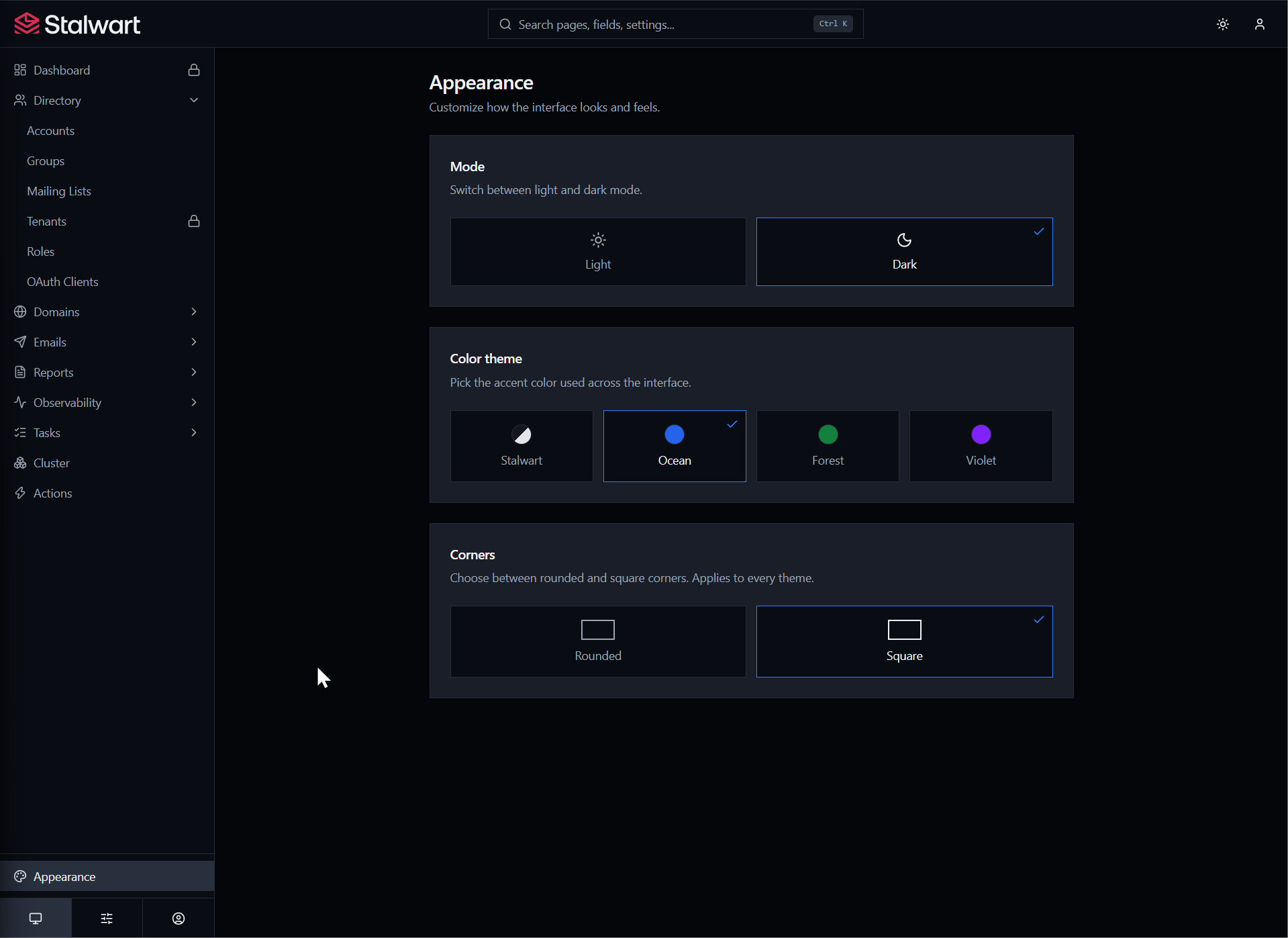
- New Appearance page:
- Light and dark mode
- Four selectable color themes: Stalwart, Ocean, Forest, and Violet
- Global rounded or square-corner option, independent from the color theme
- Theme toggle available on both the admin UI and login pages
- Dynamic browser tab titles based on the active page
- Calendar-based date/time picker replacing native datetime fields
- Improved card, field, table, scroll area, and sidebar styling
- Table header corner/radius fix
- Clearer switch states: green when enabled, red when disabled, muted when unavailable
- WebUI version display and update action in the Web Applications list
- Better initial loading through code splitting
- Section URLs without a view now redirect to an accessible page instead of showing an empty state
This is currently a community fork. I have not opened a PR upstream yet, as I want to continue testing and refining the changes first.
Feedback, bug reports, and suggestions are very welcome.